Big Day In – Wagga Wagga, 2019

file1669a

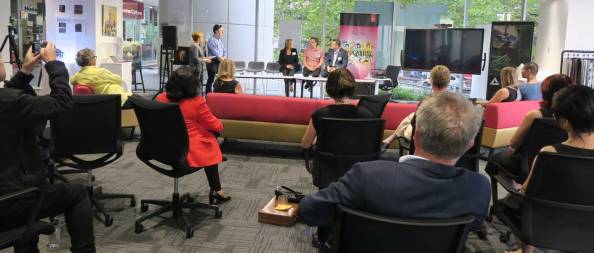
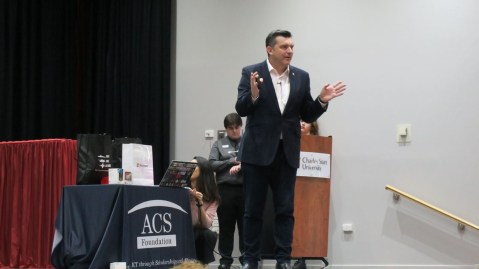
The 2019 Big Day In season commenced last Wednesday at Charles Sturt University in the rural city of Wagga Wagga in the south of NSW.

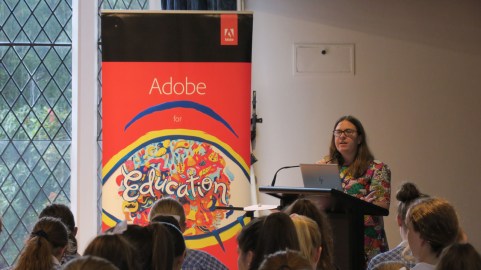
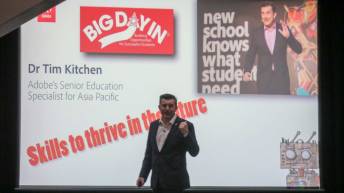
Adobe has been supporting the Big Day In for a number of years and I have the honour of keynoting most of the 12 events around Australia each year.
file1703a

These events are aimed at senior secondary school and university students interested in careers in ICT and technology.  They help students obtain more information about ICT and technology careers.

file1731

The theme of my presentations this year is preparing students with the skills to thrive in the future. I challenge the students to look at the above list of skills that have been highlighted by the work of Marc Prensky and establish what they are good at and what they need to work on.
file1721

I challenge the teachers attending to consider these skills when setting assessment and learning tasks to help their students prepare for an unknown future.

file1719

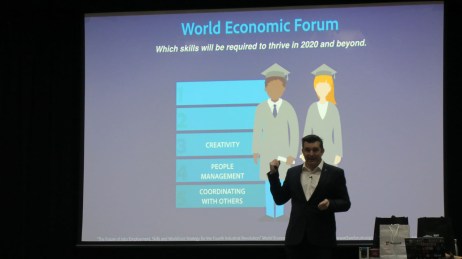
We look at the top 5 skills to thrive in the future according to the World Economic Forum and note the significance of enhancing creativity skills.
file1749

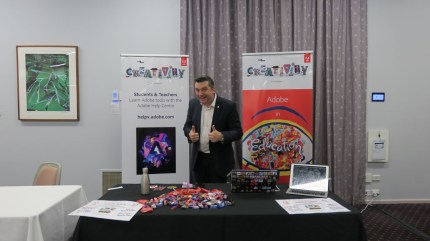
It’s always nice to chat with the students during the breaks at the Adobe stand and show them how Adobe tools can help them enhance their digital creativity skills as well as help brand them to be noticed in the competitive job & course market.
file1775


Creativity on the Vic/NSW border

CCW1

On Thursday, 14 March I had the pleasure of visiting Catholic College Wodonga (CCW)and working with a number of classes during the day and then with a group of educators from around the Riverina region for an Inject Creativity into the Curriculum professional learning event.

Over 30 teachers registered for this event from 10 different school/TAFE/Unis in the region covering towns like, Albury (NSW), Wodonga (Vic), Wangaratta (Vic) and Mt Beauty (Vic).

Looking at the feedback, highlights of this event included …

  • The range of apps presented and multiple uses for them in teaching and learning.
  • Premiere Rush and Character Animator.
  • I gained insight into innovative ways to create content and showcase learning
  • Spark Post and Rush.
  • Having lots of things to take home and further develop my knowledge with Adobe products
  • Using an Adobe App on my phone for the first time.
  • opened a whole new world to me
  • Seeing what is available that students will be able to implement in a variety of contexts.
  • As a complete novice it introduced me to the various tools and apps that I might look into so I can incorporate them into my product and design classes.
  • Great to see products which can be used in the classroom.
  • The spark Apps were great. I will definitely explore these more!
  • Premier Rush was a revelation. Seems much more intuitive. Great that it works with Premiere Pro too.
  • Adobe Rush
  • Learning some of the software I was unfamiliar with. Adobe Rush, Spark Post, Capture and XD.
  • Ease of use for the ‘lite’ versions of apps.
  • Learning about Adobe Rush and XD

Other comments included

  • While this is a great introduction, I realise that I have a lot to learn to get the skills and confidence to use these applications regularly in my classes. The links to the education tutorials will hopefully get me on the journey to learning these exciting tools
  • Wish we’d been able to have the whole day.
  • I really loved some of the explanations around Spark Post Great event.
  • Very happy to have an event in Regional Vic.
  • Thanks Really enjoyed having a walk-through of the apps, giving me confidence to have a go.

Here are image of some of the activities I did with the students during the day focusing on Photoshop, Character Animator, InDesign & Premiere Pro …

This slideshow requires JavaScript.

Special thanks you to Melinda Prentice (Teacher & Leader of Emerging Technologies at CCW) and Lisa Mason (Year 10 Learning & Teaching Leader CCW) for making these events possible.


Adobe in Malaysian Universities

IMG_1825a

About 50 lecturers from universities all over Malaysia traveled to Kuala Lumpur for two days of Adobe creativity last week thanks to Adobe’s Malaysian partner Prestariang.

Having lots of quality time with so many interested educators, created a wonderful opportunity to share the value of many Adobe applications to help engage students and prepare them for this digital age.

We work-shopped a number of techniques within the following applications:

  • Photoshop
  • Spark Post
  • Spark Video
  • Character Animator
  • Premiere Rush
  • Premiere Pro
  • InDesign &
  • Acrobat

This slideshow requires JavaScript.

We also looked at some of the research behind the importance of encouraging creativity in education. We discussed how school systems and universities across the globe are revising their curricula with an increasing emphasis on experiential learning, interdisciplinary approaches and an array of literacies to help better prepare their students for the future.

IMG_1800

The aim of the event was to help demonstrate how Adobe applications help extend literacy traditions into new contexts, with an emphasis on creative problem solving through writing, speaking, presenting, making & storytelling.

IMG_1714

The teachers were encouraged to keep a record of their learning through the development of an ongoing Spark Page.

IMG_1788

In the feedback, overall comments about highlights of the workshop included…

  • Using spark to make video as I am teaching biochemistry and genetics. So making a video to explain the difficult concept is useful in my teaching.
  • Super cool! Definitely using all the resources & tips with my students
  • I’m an E-Learning trainer and looking for good softwares for developing E-Contents. Glad that Adobe has got lots of softwares for it. Thank you for the introduction to them.
  • I’ve learned faster way and appropriate tools in doing thing via adobe software especially Photoshop.
  • A splendid and fruitful training program.
  • Tips and tricks will lots of Adobe products.
  • Spark Post and Character Animator are two apps that are extremely wonderful and useful for digital education.
  • Introduction to new features available in latest Photoshop, Premiere. Introduction to Spark, Premiere Rush and a lot of Adobe product for mobile.
  • Really enjoy this workshop. i got new info/features from adobe like Adobe Spark, Behance, Premier Rush CC, also learn about adobe apps which is we can create video and editing using smart phone and of course will share all the tools that i learn today with my students.

Other comments

  • I wish we could have more time.
  • Looking forward for more programs like this. WELL DONE
  • Love it!!!
  • I already join Adobe Education Exchange & follow Dr Tim. Target for this year to get more than 300 points and join the Adobe Campus Leaders Program. Hope can get more info from Adobe. Thanks to Dr Tim Kitchen. You give a lot of info today.
  • Do it again next time
  • Thanks a lot to our instructor and organizers.
  • Dr. Tim Kitchen rocks!

Special thanks to our partners at Prestariang and to Adobe Account Executive for Malaysian Education Sandra Otero for her help and support.

IMG_1640

Vocational Teaching & Adobe in Indonesia

IMG_1621a

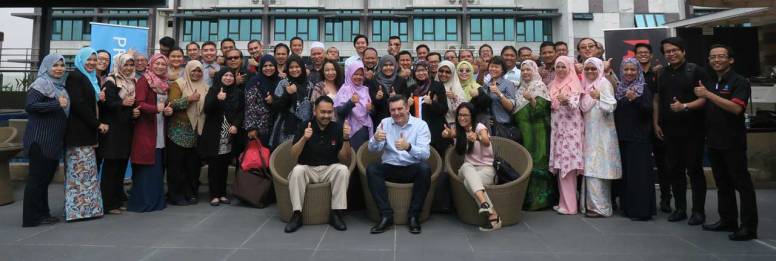
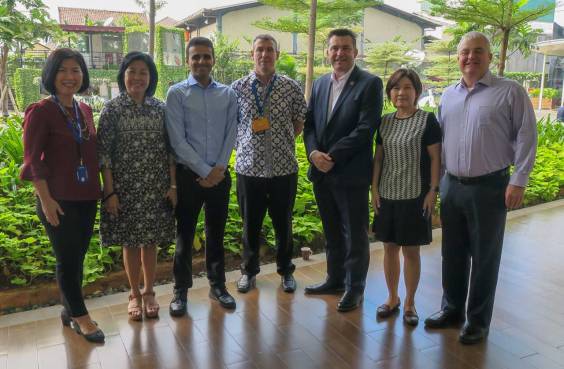
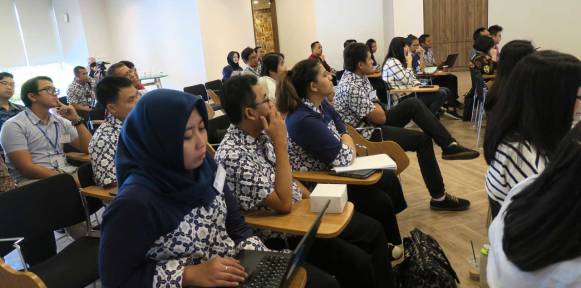
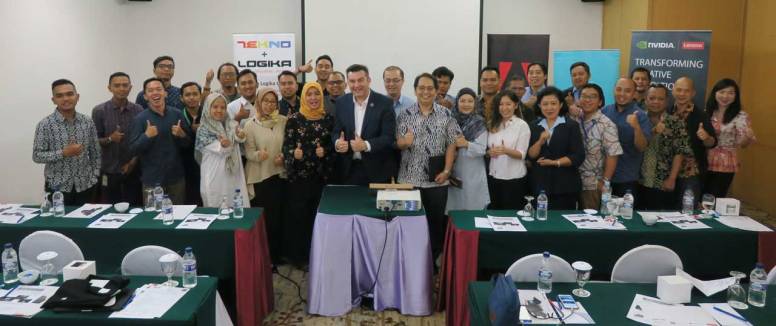
Fifty Indonesian Vocation Education Teachers were selected to take part in a special professional learning event on Tuesday March 5. Earlier this year, I ran a webinar with over 200 of these teachers and this was a special follow up face to face activity.

IMG_5721a

It was a delight to spend an afternoon with these creative educators and provide them with some Adobe magic. The aim was to inspiration them and provide them with ideas to engage their students and help them develop some practical digital creativity skills.

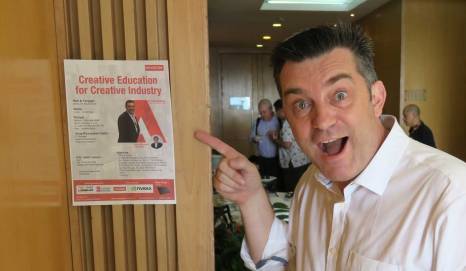
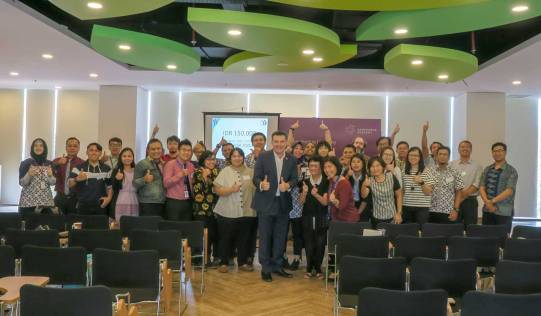
At the end of the event, for some reason, a number of the teachers wanted to get a photo with me. I felt like a celebrity.

This slideshow requires JavaScript.

Enhancing digital creativity in Indonesian Universities.

IMG_1479a

About 40 lecturers representing universities throughout Indonesia joined me for digital creativity workshop/presentation in Jakarta on March 4, 2019 focusing on Adobe apps in education.

IMG_1483a

Some of the messaging during this session included that today’s students are immersed in a range of digital realms and they want to produce media, not just consume media. It is important that educators acknowledge this and allow their students time to construct their learning in creative ways with a range of  digital technologies.

IMG_1357a

Students are engaged more in formal education when they are encouraged to work with digital creativity tools. Digital is how thinking and learning are increasingly happening across the whole curriculum.

IMG_1371a

I showed these lecturers some of the work we are  doing with the Faculty of Arts at Macquarie University as they are moving towards using video as an important  part of the assessment process. Click here to see a video about this.

IMG_1369a

One of the themes we discussed was that traditional education systems are not designed to enhance creativity. Students are rewarded for memorising facts for a test, not for imagination, creativity, resourcefulness, collaboration & problem solving.

IMG_1378a

I suggested that one of the reasons we have to think differently about education is that the world our students are living in is so different from the one that most educators grew up in yet many are still teaching the way they were taught and most likely the same way their teachers were taught.

IMG_1416a

Sharing some of the practical solutions available via the Adobe Creative Cloud is always a pleasure. I never cease to enjoy seeing the delight in the faces of educator as they discover the joys and educational potential within the Adobe apps.

It was great working with Adobe Account Executive Greg Sisk our Indonesian partners on this event.

IMG_1489a

Digital creativity at Indonesian International Schools

IMG_1256a

The first of a series of events throughout Indonesia & Malaysia happened on the morning of Monday March 4 in Jarkarta, Indonesia.

Indonesia’s Association of National and Private Schools (ANPS) invited Adobe to present to representatives from a wide range of International & Independent schools throughout their country with a focus on how Adobe’s creativity software can help enhance digital literacy and creativity skills .

IMG_1317a

I was asked to run a 3hr workshop/presentation and enjoyed watching these educators and administrators warm to a wide range of Adobe applications, especially Adobe Spark.

This slideshow requires JavaScript.

It was delightful to get such an enthusiastic response from this group of teachers who are now tasked to share what they learned to the teachers and students back at their schools.

IMG_1342a


TAFE NSW Creative and Design Ideation SkillsPoint

skillspoint1

On Friday March 1, a team from Adobe Education helped TAFE NSW launch their 2019  Creative and Design Ideation SkillsPoint week of activities in Parramatta.

IMG_1239a

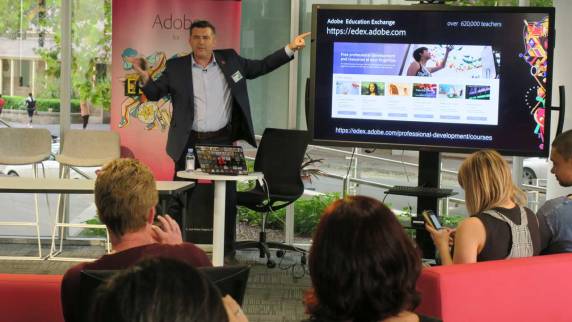
I had the pleasure of sharing  some of the new technologies that have recently been developed by Adobe as well as resources such as the Adobe Education Exchange to an audience of NSW TAFE teachers & students.

IMG_1247a

It was also great to be invited to be part of a panel of experts from a range of industries such as music, fashion and art for an interesting discussion about the importance of  creativity in today’s society.

IMG_1245a

One of the panelists was Steve Bull who is a TAFE NSW SkillsPoint Industry Relationship Lead for Creative and Design Ideation. Steve has had a wealth of experience in the music industry as the bass player for the Aussie rock band Icehouse.

Here are some other images from this event …

This was the beginning of a week of activities which included some Adobe workshop sessions from our NSW based solution consultants.

Special thank you to Sandi Lucock, Industry Relationship Lead, Creative and Design Ideation SkillsPoint, for inviting us to take part in this launch.


STEAM Project on Sydney’s Northern Beaches

STEAMIndex2

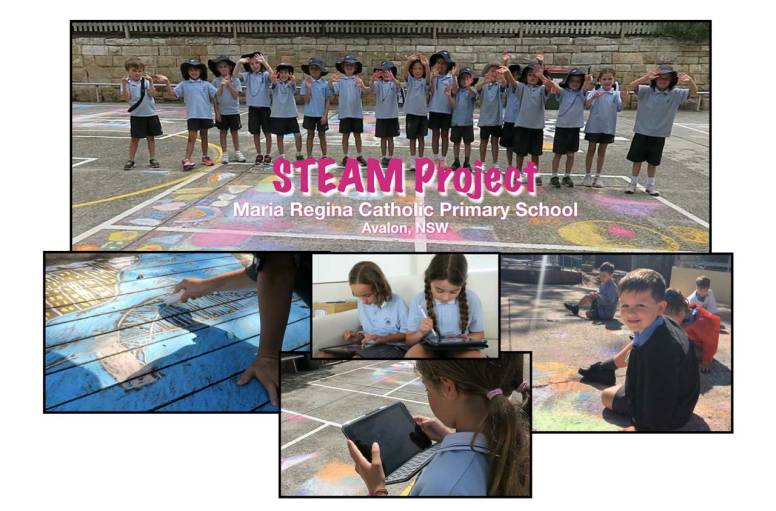
Thursday February 28 was a very special day at Maria Regina Catholic Primary School in Avalon, on Sydney’s Northern Beaches. It was the day that Dr Bronwen Wade-Leeuwen (Macquarie University) and I worked with the whole school on a STEAM (Science, Technology, Engineering, Arts & Mathematics) project titled Bring back the Arts.

MVI_1118.MP4.00_00_10_02.Still001

Here is a reflection from Dr Wade-Leeuwen …

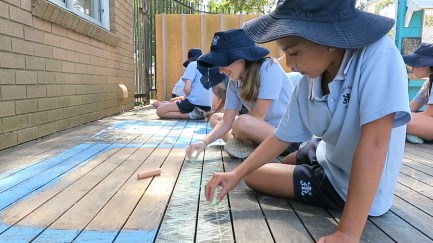
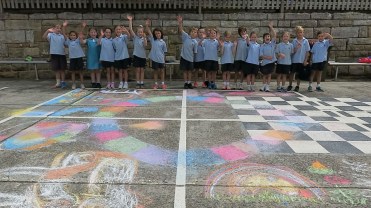
The primary school students (approximately 110 children) loved creating their street chalk artworks around the school’s theme of ‘Love’ on the playground area.

MVI_1089.MP4.00_00_05_03.Still001

They enjoyed being collectively photographed in their year groups by you together with their street chalk artworks. 

MVI_1164.MP4.00_00_03_17.Still001

A wonderful example of how ‘Bringing back the Arts’ through STEAM approaches can generate critical and creative thinking in contemporary active learning environments. The school’s theme of ‘Love’ directly supports the United Nation’s Sustainable Development Goals (SDGs) of working collaboratively with industry and institutions (school and university) towards ‘Partnerships for the Goals’

MVI_1101.MP4.00_00_16_01.Still001

The final session for the day was with the senior students (Years 4-6), this session showed the students courage, creativity and determination to quickly learn new skills using Adobe Spark technology through the planning and engineering of their artwork images, videos and voice recordings into amazing professional productions to share with others.

The day began with a Big Draw exercise based on the theme of LOVE and the Sustainable Development Goals as set by the United Nations General Assembly in 2015.

Each grade level had a set of goals to learn and draw about.

This slideshow requires JavaScript.

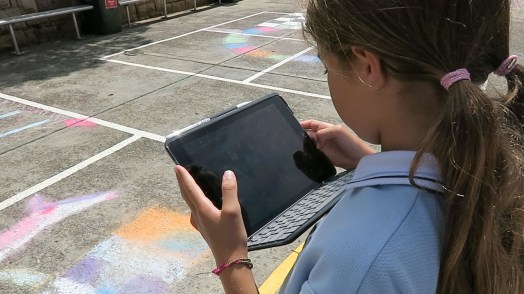
The Grade 4 to 6 students documented their drawings with their iPads by taking a range of photos and videos.

MVI_1155.MP4.00_00_01_09.Still001

In the afternoon, I worked with the the older students to help them turn their images and videos into video a range of video stories using Adobe Spark Video.

It was great to see how quickly the students mastered the app and developed a range of creative stories.

Special thank you to Kathy Gee, the Principal, her teaching staff and Dr Wade-Leeuwen for making this day a possibility.

MVI_1204.MP4.00_00_05_14.Still001

Stay tuned for a video about this day on CreateEdu TV.

spark_for_education_sticker_3x3

Inject Creativity with Adobe – Sydney

IMG_1079a

Digital creativity was the focus of the first Inject Creativity into the Classroom with Adobe professional learning event in NSW yesterday at the Adobe Sydney office in Darling Harbour.

inject1

NESA endorsed professional learning

Teachers from the NSW Catholic education system, independent schools and government schools worked together to enhance their skills with a range of Adobe applications.

We  started with an overview of how a number of Adobe applications are being used in classrooms all over the globe to enhance creativity then we jumped into a whole group Photoshop & Spark Post activity. This involved taking a selfie, doing some simple manipulation techniques with Photoshop, compressing the image for online use and featuring it in a Spark Post poster.

Then we broke into the following three different workshop groups:

  • Incorporating Adobe software into STEM (with Brett Kent)
  • Design thinking & prototyping with Adobe XD & Photoshop (with Jason Grant)
  • Simple video  production with Premier Rush  & Premiere Pro (with Tim Kitchen)

Brett Kent has been an Adobe Education Leader for many years and is currently on the NSW DoE STEM Share team where he travels to schools all over Sydney sharing how to integrate a range of technologies into STEM programs. During his workshop, he introduced the teachers to a rang of Adobe products with a focus on building virtual reality assets with Premiere Pro.

IMG_1047

Jason Grant is one of Adobe’s Solution Consultants and he introduced the teachers to Adobe XD as a tool to apply a design thinking to the production of an app for a phone or tablet. XD is the fastest way to design, prototype and share any user experience, from websites and mobile apps to voice interactions and more.
Jason1

My workshop introduced the teachers to Adobe’s newest video production tool, Premier Rush. Rush is a very simple to use multi-layered video editing app that is part of the Adobe Creative Cloud suite of software and also available on iOS.

Rush1

In between workshop sessions, the teachers did two Adobe Spark activities. One was to build a Spark video about what they had learned and the other involved creating a Spark Page reflecting on how they could apply what they learned back in their classrooms.

reflect1

The Inject Creativity into the Classroom events are happening all over Australia throughout 2019 and they are free. Click here to find out more and register.

spark_for_education_sticker_3x3

Digital Creativity at Strathcona

Strathy1

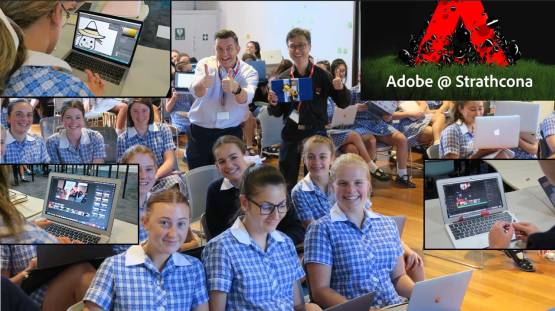
Last Friday 22nd February, Adobe Solution Consultant Brian Chau and I had the pleasure of being involved in a special Adobe Day at Tay Creggan, the Year 9 campus of Strathcona Baptist Girls Grammar School in Melbourne.

Tay Creggan is a beautiful historic school campus on the Yarra River in Hawthorn.  As mentioned in the school’s website … Built in 1893 as a family home, it quickly became the social hub for fashionable Hawthorn. Strathcona bought Tay Creggan in 1969. The following year it opened as Australia’s first designated campus for Year 9 girls.

copy-of-blom

This Adobe Day was part of a special program called TC Envision which teaches important entrepreneurial and life ready skills such as critical thinking, problem-solving, design capability, intellect, collaboration, communication and resilience.

IMG_0938

For this day, three Strathcona teachers as well as Brian and myself ran a series of workshop sessions introducing the the students to arrange of Adobe applications that they can use throughout the year as part of the program and in the future. The applications that the girls were introduced to include Adobe Illustrator, Adobe Photoshop, Adobe Spark and Premier Rush.

IMG_0957

The Envision program is coordinated by Head of Tay Creggan, Karyn Murray and this particular day was organised by Strathcona’s Head of Digital Learning & Innovation – Strathcona Michelle Dennis who is also an Adobe Education Leader.

IMG_0937

It was a particular pleasure for me to be involved in this day because Strathcona was where I taught for 13 years prior to starting my job at Adobe. It’s also where my daughter Talana is currently in Year 12 and one of the Deputy School Captains. I wish I had a dollar for every time I was asked if I really was Talana’s father.

IMG_1003

During the day, we conducted some video interviews and are currently putting together a case study video about the day and the way Strathcona uses Adobe products. Stay tuned  for this video coming soon to CreateEdu TV.

Special thanks to Karyn, Michelle, Brian and the Year 9 teachers who helped make the day such a success.