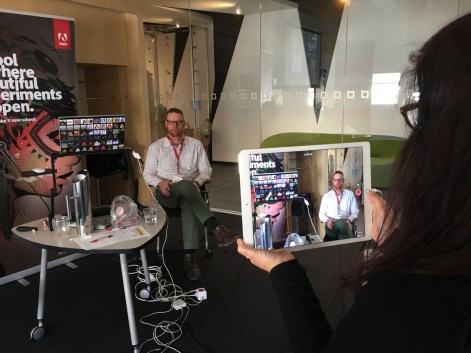
Video Literacy @ Our Lady of Mercy Catholic College – Sydney

IMG_1172

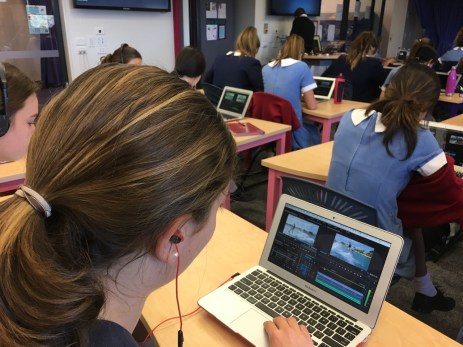
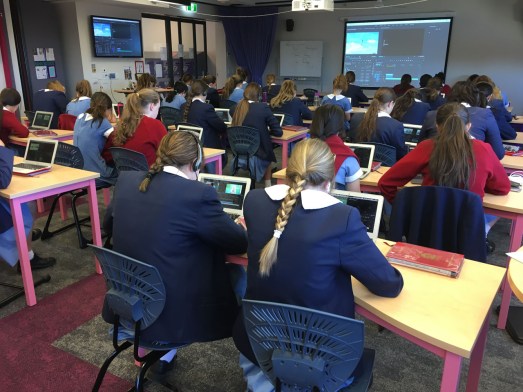
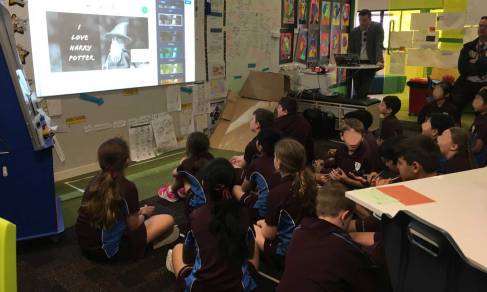
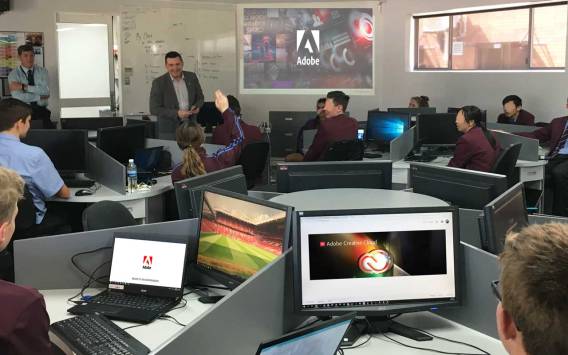
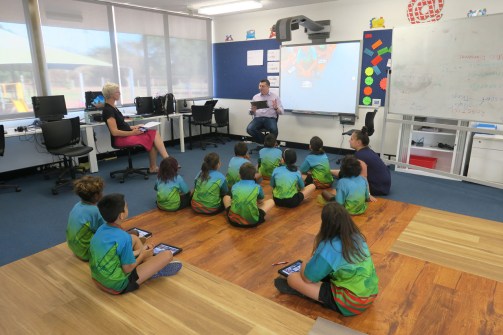
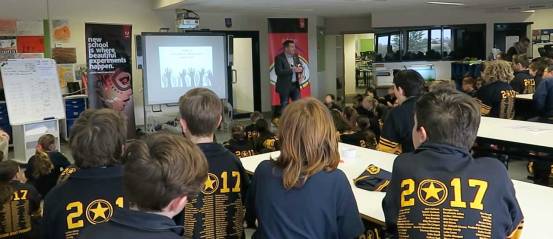
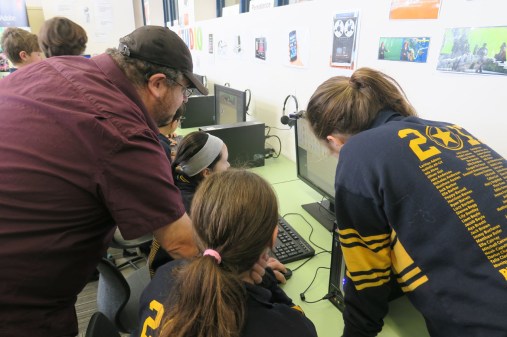
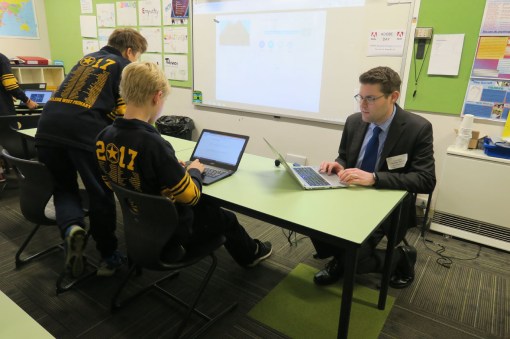
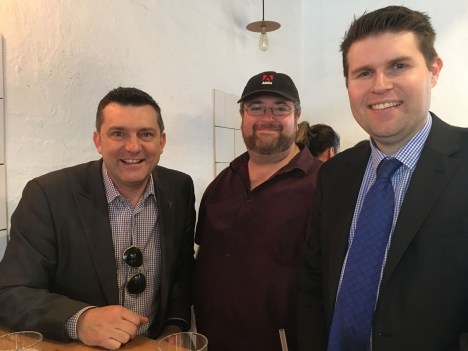
On Tuesday 5th September I had the pleasure of working with a delightful group of Year 10 students from Our Lady of Mercy Catholic College, Burraneer near Cronulla in Sydney.

IMG_1163

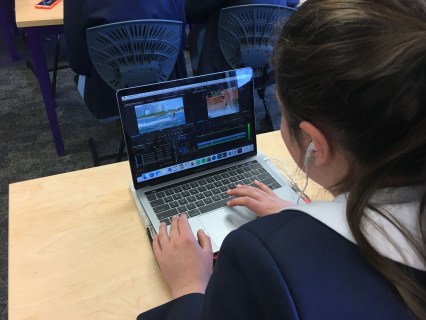
Each student has access to Adobe Premiere Pro on their laptops so the aim of the day enhance their video literacy skills.

IMG_1167

I informed the girls that video production is now considered a literacy and that these days it is almost as important to be able to make a quality video as it is to be able to write a quality essay. Some are predicting that by the end of 2017, 70% of all Internet traffic will be via video.

IMG_1168

By the end of the day, the students had gained a wide range of video editing skill & techniques including how to key-out a green screen and replace it with any other image.

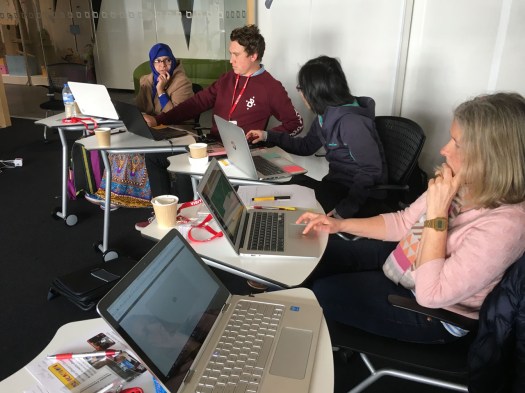
At the end of the day, I worked with a number of teachers from the school and some visiting teachers from other schools and showed them how to use a variety of Adobe applications to enhance their creativity and 21st-century communication skills.

One of the highlights of this session was teaching teachers how to use Adobe Character Animator to bring to life digital puppets made in Adobe Photoshop & Illustrator.

Highlights of the 2017 Adobe Education Active Use Program – Jan to Aug

The following video was produced for a recent meeting to all the Adobe employees from Australia & New Zealand. It features most of the highlights of the Adobe in Education active use program from January to August, 2017.

Special thanks to my Nephew Archer Mason (Yr 6 – Yackandandah Primary School, Victoria) for producing the sound track used in this video.


Adobe Have a Voice Project – Cowes Primary, Victoria

On Thursday 31st August, I took a road trip to Phillip Island in Victoria to visit the Cowes Primary School students who are taking part in this year’s Adobe Have a Voice Project.

IMG_3265

The aim of this program is to provide Victorian students in Years 4 to 9 with an opportunity to have a voice about something that is important to them and enhance their 21st century communication and creativity skills.

The students need to work in a group with at least one Adobe product to produce either a video story (maximum of two minutes), animation (maximum of one minute) a website/web page or poster about a topic or issue that is important to the group.

Here is a video about the Adobe Day and the involvement of the school in the Adobe Have a Voice Project.

This slideshow requires JavaScript.

After school I worked with the staff and introduced them to the educational potential of the Adobe Spark tools.


This slideshow requires JavaScript.

Character Animator with Year 6 at The Geelong College

IMG_3205a

Adobe Character Animator helps bring digital puppets made in Photoshop or Illustrator to life by tracking your facial feature via a webcam.

On Tuesday 29th August, I had the pleasure of working with all the Year 6 students from The Geelong College in Victoria and introducing them to the joys of animated storytelling with Adobe Character Animator.

Rather than building a puppet from scratch, the student were all provided with a  character that they then manipulated in Photoshop to feature their school logo. They then imported it into Character Animator and brought it to life via their own facial reactions.

Later in the day the students were all taught how to use Adobe Spark to help communicate their stories via posters, videos and web pages.


IMG_3258

I was very impressed with how quickly these students adapted to the new software and how creative they were with their storytelling.


Creative Cloud at Caloundra

The Sunshine Coast in QLD is a great place to be at any time of year, especially in the later days of winter. On Thursday 24th August, I had the pleasure of working with students and teachers at Caloundra Christian College.

This slideshow requires JavaScript.

We focus on enhancing the student’s skills with the Spark tools and Adobe Photoshop. I was impressed with the InDesign skills of the Year 12 students who showed me the school magazine they are producing as an assessment exercise as well as for the school community.

I enjoyed working with a range of teachers after school, showing them some creative ways to engage their students with Adobe applications.

Special thanks to Paul Miller for organising this visit.

John Paul College, QLD – long history of effective ICT integration

jpc2

John Paul College (JPC) in Queensland is located about a 30 minute drive south of Brisbane in the suburb of Daisy Hill. It is a very large co-education, independent day & boarding school with about 2,500 students.

JPC is renowned as the second school in the world to start a 1:1 laptop program, following the lead of MLC in Melbourne in the early 1990s. Since then, it has been a leader in effective ICT integration throughout the whole curriculum from K-12.

IMG_1127a

On the 23rd August, I had the pleasure of spending a day at JPC working a number of junior & senior school classes, with a focus of celebrating and enhancing their use of Adobe’s creativity software.

Year-4-(6)a

I enjoyed meeting Janette MacNamara (Director of ICT)  and Liam Waldie (Head of E Learning Pedagogy) who organised a number of classes for me to work with throughout the day.

A particular highlight was meeting the senior media students and enjoyed showing them a range of new video editing techniques and tools now available via Premiere Pro.

Year-10-Graphics-(5)a

I am looking forward to visiting JPC again in the future and helping them make the most of their Adobe applications to further enhance their 21st century communication skills.


Sparking creativity in Northern Australia

In my recent trip to Darwin, I had the joy of working with students and teachers from two delightful primary schools (Karama PS & Ludmilla PS) and introducing them to some of Adobe’s amazing free creativity iPad apps.

IMG_3144a

Karama Primary School, Darwin

IMG_3163

Ludmiller Primary School, Darwin

I was very impressed with the easy at which these students worked with Spark Post & Spark Page to share stories about their passions. I always get a thrill out of seeing digital creativity tools being used to help students engage with content and construct their own learning.

This slideshow requires JavaScript.


Best K12 media program I have ever seen

After hearing about the media facilities at Queensland’s Sheldon College, on Tuesday 22nd August I had the opportunity to see them for myself and present to the staff.
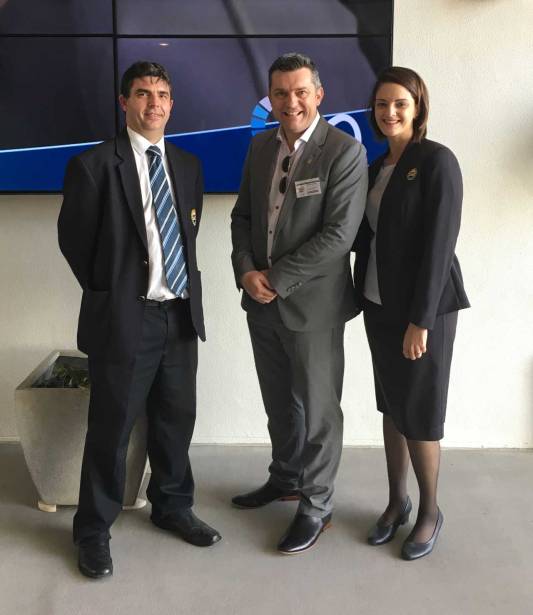
IMG_1075a

Murray James, Me & Vanessa Noonan

Sheldon College, south of Brisbane, is an independent school with an enrollment of about 1,500 students and about 200 teachers. This year, they are celebrating their 20th anniversary and, in that time, they have developed a particularly strong music, technology and media program for their students and wider community.

The Sheldon College LINQ Precinct is what I was most looking forward to seeing. LINQ stands for Learning and Innovation for a New Queensland. As described in the above video and the school website, it houses the Business Enterprise Centre, Design Technology workshop and flexible CAD, prototyping and robotics labs, the LINQ Creative production facility, an interactive / collaborative space with full operable walls; forecourt and breakout areas; a large group lecture and exposition space; and the LINQ Video Wall for group presentations, venue signage and virtual video collaborations.

I have a particular interest in media production and was most interested in their media facilities.

IMG_1062

The entrance to the media learning & production spaces is like a TV studio reception area. This is where media students meet with clients from inside and outside of the school and discuss a range of video productions.

IMG_1061

The students are encouraged to be entrepreneurs and set up their own video businesses. The school provides them with equipment, training and experience and many of the students have gone on to a range of film & TV courses and careers. A set of framed images of former students, who now work in the multimedia industry, is displayed on the walls of the media centre with the following frame set up to challenge current students.
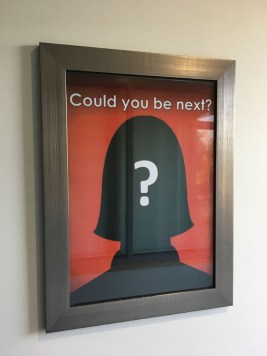
IMG_1066

The main sound proof recording space features a large infinity green screen at one end for video effects and white walls for still image production. Windows separated it from a large media classroom and control room space, providing a seamless flow between teh teaching of pre & post production.
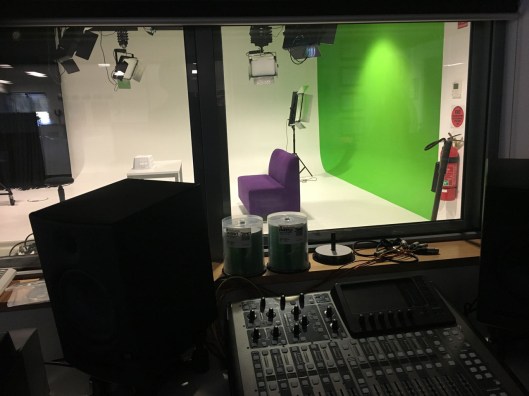
IMG_1064

The Adobe Creative Cloud applications are used throughout the school and are a vital part of the success of the students productions and creativity. There is a particular focus on the use of Premiere Pro, After Effects, Illustrator and InDesign.

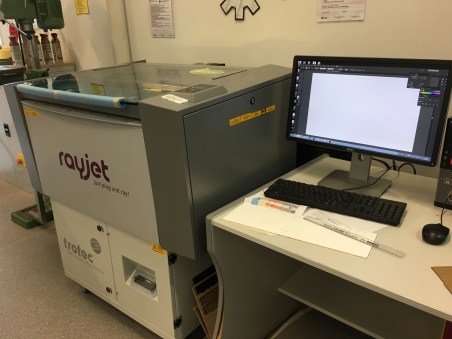
Here is Adobe Illustrator being used to in conjunction with an industrial laser cutter to produce a range of products.
IMG_1053

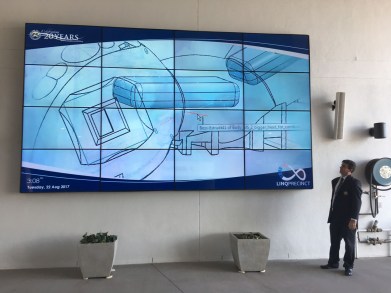
A giant screen outside the LINQ Precinct features student’s work as well as other work to inspire students creativity. There are a range of screens throughout the school that help celebrate student’s achievements.
IMG_1055

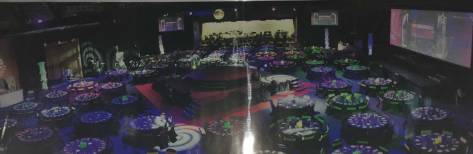
The peek video production event for the school is an annual celebration that involves up to 15 cameras capturing various stages & performance areas, all being switched live to a number of screens and also streamed live online for the wider school community.

Sheldon not only has the best media facilities I have ever seen in a K12 school, the way they integrate the media program with the wider curriculum and co-curriculum areas is very impressive.
IMG_1065a

IMG_1059

Sheldon College takes the study of STEAM (Science, Technology, Engineering, Arts & Mathematics) very seriously. Their Maker Space has been beautifully designed to encourage creativity and is a shared learning space for the whole school.

The physical layout of the LINQ Precinct encourages a natural flow between the studies of media, engineering and business studies.

I enjoyed presenting to a number of Sheldon teachers from a range of year levels and subject areas and sharing Adobe’s recent research into teaching Gen Z and the importance of encouraging creativity in the teaching & learning process.

This was the beginning of what I’m sure will be a strong connection between Adobe Education and Sheldon College.

Special thank you to Vanessa Noonan (Head of Faculty ‑ Technology & Digital Pedagogy Co‑ordinator) and Murray James (Director of ICT) for showing me around their amazing school.

Digital Creativity at Bentleigh West Primary – Victoria

Tim2a

On Thursday 17th August, I had the pleasure of taking part in an Adobe Student Creativity Conference with all the Year 6 students at Bentleigh West Primary School in Melbourne.

Check out this video filmed on the day …

IMG_3672

Adobe Education Leader and Media Arts teacher Joel Aarons, organised this day for his school which involved keynote sessions and a range of workshops.

IMG_3662

Joel also invited Adobe Campus Leader Matt Smith from Melbourne Grammar to run a workshop on Adobe Spark Page.

This slideshow requires JavaScript.

The other workshops involved the students learning about Adobe Muse, Spark Post and Adobe Comp.

IMG_1044

Special thank you to Joel & Matt for being involved with this event. It is always a pleasure to work with members of our Adobe Education Leadership Community.

If you are interested in joining the Adobe Campus Leaders program, click here to find out more.


Developing Adobe skills at ISV schools

IMG_1032

On Wednesday 16th August, a group of teachers from a range of independent schools throughout Victoria joined me for a special professional learning event at ISV in west Melbourne.

IMG_1036

For most of the teachers, this was an introduction to the potential of Adobe’s mobile apps like the Adobe Spark apps and Premiere Clip to help students construct their learning.

IMG_1031

Adobe Photoshop Tips & tricks were also explored throughout this all day session as well as Adobe Muse, Presenter Video Express & Premiere Pro.

All the resources for this session can be found on the Adobe Education Exchange via – http://bit.ly/adobe-isvAug17

The next session with ISV will be on Thursday 14th September. Click here for more information.