NSW Teachers at Adobe Office

IMG_7159

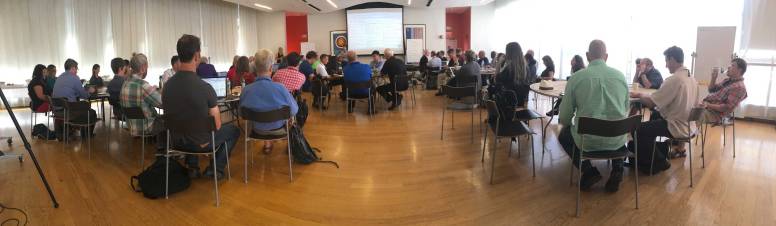
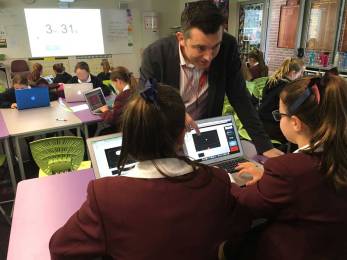
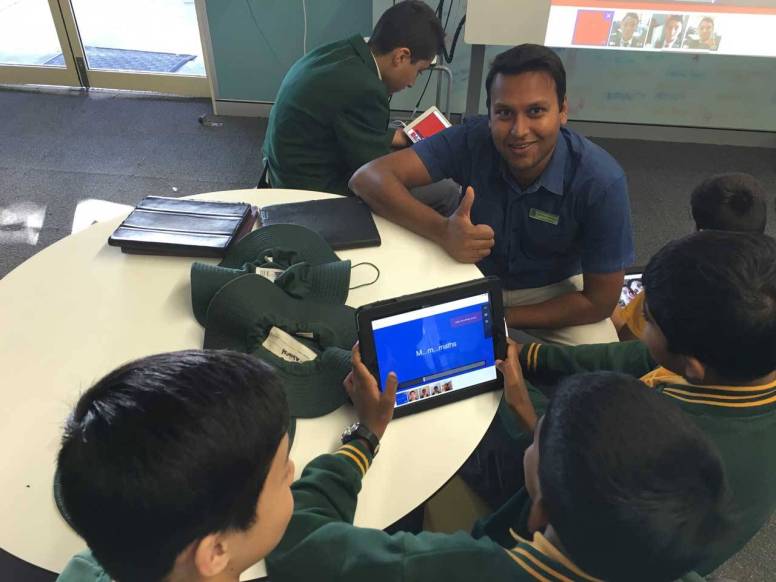
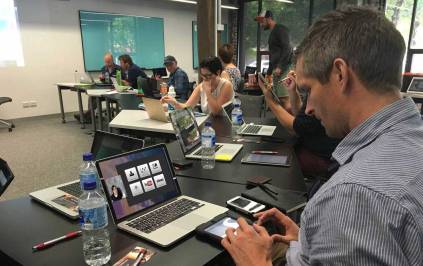
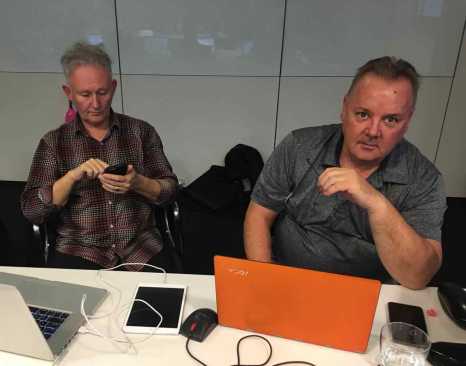
It was a privileged to meet a great group of NSW educators at a fun professional learning event run by Adobe Education at the Adobe Sydney office in Darling Harbour yesterday.

IMG_7141

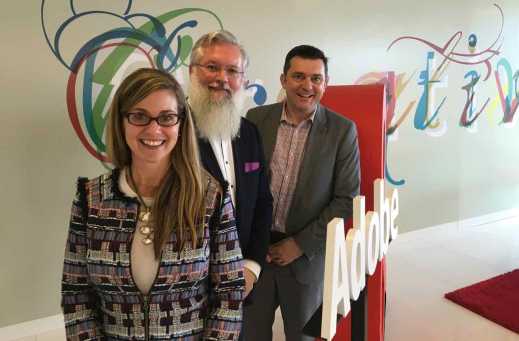
Adobe Education Leaders Bill Gillespie and Gary Paulton joined me again to help present this, the second of four planned events this semester titled – Making the most of Adobe Creative Cloud in the NSW Classroom.

Bill shared his passion and expertise in Adobe Photoshop while Gary showed the creative way he and his art students are working with Adobe Spark in collaboration with Illustrator, Photoshop & InDesign.

IMG_7151

Other software we covered in this 4 hour session was Adobe Muse, Presenter Video Express, Premiere Clip and Premiere Pro

About 90 NSW educators have registered for this series of events. Some of the feedback we have received so far includes …

  • This workshop gave me a good overview of Adobe tools that I can use not only in my work, but recommend to others. Highly recommended.
  • I really enjoyed learning about the Spark apps and am excited to share and use them in the classroom.
  • The Photoshop tips and tricks for educators were spot on! Adobe Spark is a wonderful platform for both Students and Educators for quick and easy creative webpages, flyers, posters and movies.
  • I look forward to my next training with Adobe. I will definitely share these resources with my team and my colleagues in the faculty.
  • A good mixture of demonstration and hands on … a great addition to the online sessions on the Adobe Education Exchange
  • Wonderful teaching tools for a flexible learning environment – I’m even more hooked than I was before.

Be informed about future Adobe in Education professional learning opportunities for teachers in Australasia via: http://bit.ly/adobeEDU-events

Check past Adobe in Education active use activities via this journal and CreateEdu TV https://vimeo.com/createedu

Nth American AEC Summit, 2016 – Opening

IMG_6919

Remy Mansfield and Tacy Trowbridge from Adobe Education welcomed the Adobe Education Leaders (AELs) at the 2016 Adobe Education Community Leadership Summit in New York on Monday 18th July.

Summit1

This year, the event is being held at the The New School, a well known College for creative students that has a focus on social research and design.

IMG_6911

For many of the AELs from Nth America, Europe & the UK, this annual event is a highlight in their professional learning event calendar. They look forward to meeting with & learning from each other each year.

Here are some images of the opening reception.


Adobe tools in Education – Part 2

Creativity in the Curriculum

I am occasionally told by well-meaning educators that modern information & communications technologies like Adobe tools are fun to use and great to have, but there is very little time in a crowded curriculum to teach or use them effectively. This saddens me because it reflects an old mindset that education is about content delivery. I much prefer educators see their job as making people better people and empowering them with the skills and passion to be lifelong creative learners and effective contributors to society.

img_5459a

Developing Creative Thinkers

In a webinar Adobe Education did with Mitch Resnick from MIT (Massachusetts Institute of Technology) he said learning should be about giving students the opportunity to use new materials to design, create and develop as creative thinkers (see the whole webinar via bit.ly/mitchresnick-adobe14).

 440px-mitchel_resnick

Mitch Resnick has continued the great work of Seymour Papert, who I consider the Godfather of ICT integration in education. He heads up the Lifelong Kindergarten group at the MIT Media Lab. Mitch also said in the webinar that success in the future – for individuals, for communities, for companies, for nations as a whole – will be based not on what we know or how much we know, but on our ability to think and act creatively. He said, learning should be about giving students the opportunity to use new materials to design, create and develop as creative thinkers.

Australian Curriculum Links

Digital creativity is a fundamental part of the Australian Curriculum (AC). Within the AC, Critical and Creative Thinking as well as ICT Capability sit alongside Literacy  and Numeracy as core general capabilities that are expected to be taught and assessed throughout Australia. Central to these general capabilities, is the statement derived from The (2008) Melbourne Declaration on Education Goals for Young Australians, that all young Australians become successful learners – confident and creative individuals – active and informed citizens.

figure20general20capabilities20in20the20australian20curriculum20-20overview

The teaching of literacy and numeracy skills is important, but not at the expense of the other general capabilities. In an interview Adobe did with Sir Ken Robinson he said that the school curriculum is often narrowed to certain disciplines that are thought to be more useful and it is dominated by standardized testing. In his famous 2006 TED Talk titled Do Schools Kill Creativity?, Sir Ken challenged educators to really think about why we teach mathematics each day at the expense of other curriculum areas.


Multimodal Text

The term multimodal text is found throughout the Australian English Curriculum as well as in other subjects. In the AC, it’s defined as combination of two or more communication modes such as print, image and spoken text, as in film or computer presentations. Examples of multimodal text include slide presentations, animation, book trailers, digital storytelling, live action film making, music videos and various web texts and social media (http://creatingmultimodaltexts.com). I suggest that the focus of multimodal text in the AC is to encourage teachers to allow students to use the modern 21st century tools available to them to construct their learning in a multitude of creative ways.

img_5428a

Adobe has a wide range of digital creativity tools from simple to use free software such as the Adobe Spark applications (https://spark.adobe.com/) to the power of professional tools such as Photoshop, Illustrator, InDesign and Premiere Pro. Most school are using Adobe tools in some capacity, in many cases it is just in the senior Arts/Media subjects. As I travel to schools and universities around Australasia, I’m seeing an increase of our tools being used across a wide variety of subject areas.

AppBlocks2

A Year 8 student recently thanked me for showing his class how to work with Adobe Spark Video, he said he was tired of being told to use PowerPoint to do her presentations, a product he has been using since early primary schooling. When I asked his teacher why this was the case, she said it was because PowerPoint was the only tool she was confident to be able to help her students with if they got stuck. Many teachers like to be in control of every aspect of what is happening in their classrooms, often to the detriment of creativity, engagement and learning.

Teachers can get help and inspiration with how to work with the wide range of Adobe solutions in their classrooms through the Adobe Education Exchange, which now has over 300,000 members. Students should bookmark the Adobe Help & Support site (https://helpx.adobe.com/) for access to getting started resources as well as advanced tutorials.

Creativity Myths Busted

In his book, Creative Schools: Revolutionizing Education from the Ground Up, Sir Ken Robinson tries to bust a range of myths associated with creativity. The first is that only special people are creative. He responds to this myth by saying that we all have creative capacities and that creativity draws from many powers that we all have by virtue of being human.  The second is that creativity is just about The Arts. On the contrary, Sir Ken says that creativity is possible in all areas of life including science, mathematics, technology, cuisine, teaching, politics, business and more. The third myth is that creativity is based around uninhibited self-expression. Sir Ken says this is not the case because creativity often requires deep factual knowledge, great discipline and high levels of practical skill.

 img_4663a

Allowing students to work with Adobe software to construct and present their learning can not only enhance creative experiences, it can also improve students engagement and lead to higher levels of learning.

See

Adobe Tools in the Curriculum Part 1


Screen Futures

ScreenFutures

Adobe Education was very pleased to be involved with the Screen Futures Summit & Youth Media Festival in Melbourne from July 1-3.

This is the second time that ATOM (Australian Teachers of Media) have run this international summit, this time in conjunction with RMIT and ACMI (Australian Centre for the Moving Image.

IMG_6362a

The opening of the Summit featured one of Melbourne’s most popular comedy musical groups Tripod who set the scene for a fun and dynamic event.

IMG_6345a

The Victorian Minister for Creative Industries The Hon. Martin Foley MP gave an official welcome and praised the organisers for putting on the Summit.

The three-day event involved about 600 delegates from Australia and overseas and was an opportunity for industry professionals, educators, academics and students to get together and share their collective passion for the screen.

The impressive list of presenters included representatives from screenwriters, film, TV, visual effects, animation, web design, gaming, radio, sound design, journalism, photography and more.

I had the pleasure of running a couple of workshops. The first was on story telling with the Adobe Spark iOS apps and the second was a 1hr intensive on the basics of video editing with Adobe Premiere Pro.

IMG_6379a

Special congratulations to Kate McCarthy Ficai, the Summit organiser, and her team for putting on such a great event.

Adobe tools in Education – Part 1

I was recently asked why Adobe tools should be used in education and if they have any real benefit in the learning and teaching process. These are fundamental questions to the work that I do each day and to the people I work with in schools and universities across Australia and South East Asia. So I have decided to consolidate my answers to these questions through a series of short online posts.

Adobe Spark(1)

What is Adobe?

Firstly, I’d like to establish what Adobe actually is as a company and what they offer education.

Adobe Systems is a multinational software company with about 50 offices around the world that provides close to 100 software applications and services for desktop, laptops, smart phones and tablet devices.

Adobe is well recognised as the world’s leading maker of digital creativity software with applications such as Photoshop, Illustrator, InDesign, Premiere Pro, Dreamweaver, Muse, Flash (now called Adobe Animate) and Acrobat Pro. It would be difficult to find a magazine, newspaper, TV show, movie, advertising poster, website, tablet app or animation that didn’t use at least one Adobe product.

AppBlocks2

Adobe is known as the software company for creatives, with a special focus on their Creative Cloud applications. What isn’t as well known is that Adobe is also a world leader four other areas:

  1. Mobile applications
  2. eLearning solutions
  3. Document management
  4. Data analytics & marketing solutions

Adobe mobile apps

Adobe have a wide range of mobile applications, usually available for free, that link nicely with their Creative Cloud software but also allow students and teachers to quickly make a poster, website, video, drawing without needing to spend a lot of time on design factors or editing. The most popular of these for education at the moment is Adobe Spark which is also available as web apps via a browser.

spark1

Click here to see the full list of Adobe’s mobile applications.

eLearning with Adobe

Adobe’s eLearning solutions are focused around Adobe Captivate, Adobe Presenter , Adobe Presenter Video Express and Adobe Connect. These are the tools of choice for educators who use a flipped learning approach, a blended learning approach and teachers who want to extend learning beyond the boundaries of the traditional four walls of the classroom.

img_3303aa

Captivate can turn PowerPoint decks into interactive eLearning activities with an HTML focus. Presenter is similar, with a video focus. Presenter Video Express captures a screen, the presenter via a webcam, the audio via a microphone and converts speech to closed captions text. Adobe Connect is one of the world’s leading webinar and web conferencing systems.

Document management

Document management is how Adobe as a company got started back 1982 with the development of PostScript, the back-end of what became the PDF. These days, Adobe’s Document Cloud (which features Acrobat DC, Adobe Sign and mobile apps) is a solution for those who want to avoid working with paper, preferring to create a digital document workflow.

adobe-creative-cloud-icon

Data analytics & marketing solutions

Adobe also has a range of marketing solutions such as Adobe Analytics, Adobe Audience Manager, Adobe Campaign, Adobe Experience Manager that help provide companies with everything they need to get insight into their customers, build personalized marketing campaigns, and manage their online content and assets.

Universities are working with Adobe’s marketing tools to manage the analyitics they gain from their websites, communicate with potential & current students and manage their alumni.

omniture-adobe-marketing-cloud

Connecting with education

Communication is a key aspect of education. Teachers need to be able to communicate in creative ways to engage their students. Students need to be able to share their knowledge and construct their learning in creative ways to their teachers and peers.  Education administrators need to be able to communicate with staff, students, parents and the wider community. Adobe has a wide range of tools to make all of this happen.

As the industry leader in digital communication tools, students who work with Adobe tools are also preparing themselves with skills that are fundamental for when they leave school.

Stay tuned for Part 2 which links Adobe tools with modern learning theories.

_________


Adobe in Education – NSW Parliament

IMG_6310a

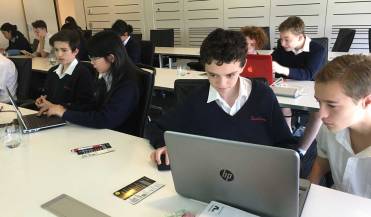
Tuesday 21st June, 2016 was a special day for a group of Year 9 students from Davidson High in NSW when they visited the Sydney Adobe Office, met their local State Member of Parliament Mr Jonathan O’Dea and were mentioned by him the following day in the Legislative Assembly.

Davison High media teacher Jessica Peade organised this excursion for her Year 9 Multimedia students to take part in this Adobe Day in conjunction with The Bully Project.

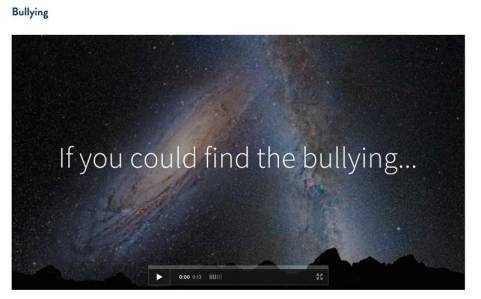
The aim of this day was based around working with the set of Adobe Spark tools to build anti-bullying posters videos & websites that could be feature on the internationally renowned The Bully Mural, which is part of The Bully Project.


Katie Barry from The Bully Project gave the students a background in the project and inspired them with ideas for their own projects.

IMG_6274a

The students brought in a range of devices from Laptops, iPads, iPhones and iPods which was fine because Spark tools work on browsers with laptops as well as the full range if iOS devices.

The visit from the local member for Davidson Mr Jonathan  O’Dea was a real highlight, especially as it also involved a visit from Paul Robson (Adobe’s President for Asia Pacific) Wayne Weisse (Senior Public Sector Business Manager, Asia Pacific Education & Government Digital Solutions) and Julie Inman Grant (Director of Government Relations, Adobe APAC).

IMG_6311a

Mr O’Dea showed great interest in the what the students were making and he encouraged them to keep developing their digital skills.

The following day, during a NSW Parliament session, he made the following statements about his visit to Adobe …

Student learning in New South Wales schools is becoming increasingly reliant on utilising new technologies in creative ways. Yesterday I visited an Adobe digital school workshop session in the Sydney CBD with a group of year 9 students from Davidson High School in my electorate. The students were participating in an Adobe Day workshop, in association with the Bully Project… The workshop was conducted by Adobe Education Specialist Dr Tim Kitchen and Katie Barry, who works for the Bully Project.

The students learned how to become “upstanders” rather than bystanders in the face of bullying. They also learned how to use cutting edge multimedia tools such as Adobe Spark to create videos, posters and web pages that can be added to the international online Bully Project Mural. That mural demonstrates genuine digital solidarity across the world and lets victims of bullying know they are not alone.

TheBullyMural

Through a statewide agreement overseen by Minister for Education Adrian Piccoli, New South Wales school students can access the latest Adobe Creative Cloud applications. This opportunity enhances their creative potential and helps them to learn twenty-first century communication skills.

The students from Davidson High School told me they enjoy using mobile apps such as Adobe Spark. They are apparently easy to work with and help students to learn in creative ways. However, while technology engages students, what and how they learn using that technology is still dependent on the guidance and skills of their teachers. Davidson High School is a comprehensive, coeducational high school in spacious grounds surrounded by natural bushland on the northern peninsula of Sydney. It is an academic, creative, innovative and sustainable school. Under the leadership of Principal Jann Pattinson, Davidson High School’s educational programs strongly encourage creativity and thinking skills. The New South Wales Government likewise encourages development of those skills. Its relationship with Adobe through the Department of Education highlights that support.

The Adobe sessions are part of a broader contribution the company makes to the educational community. Adobe also conducts regular workshops for educators and students on how to use its creative digital tools. Through the Adobe Education Exchange—a free education portal involving about 300,000 teachers worldwide—it provides more than 10,000 teaching resources and a wide range of professional learning opportunities.

EdEx1

The Adobe Education Exchange – https://edex.adobe.com

Education needs to adapt to a rapidly changing world environment. The New South Wales Government is constantly developing new and innovative ideas about how schools work, how teachers teach and how students learn best.
IMG_6282a

Today’s students need research, problem-solving and critical-thinking skills to succeed. They need to work both independently and together in groups in classrooms and other settings that provide flexibility to successfully integrate new technologies. The Department of Education understands these ongoing challenges and is constantly responding.

I enjoyed learning about how innovative technology tools, creativity and learning opportunities help students like those at Davidson High School to create positive social impacts. It was also rewarding to observe the students in action, combining their empathy and understanding of important social issues with their technological skills in order to make a difference at their school and in the broader community. I thank Adobe for inviting me to the workshop and Davidson High School students for allowing me to be part of an exciting learning experience in this new digital age. It is an age that we will need to increasingly embrace and understand in the future.
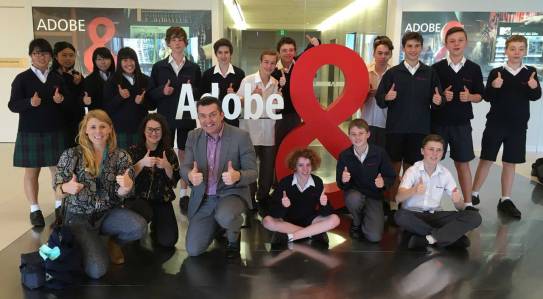
IMG_6317a

Here is a selection of some of the student’s work …

Archie & Aidan

Page1Spark Page

 video1

Spark Video

Poster1a

Spark Post

Mitch & Jackson

Mitch&Jackson1

Spark Page

Mitch&Jackson2

Spark Video

Alex & Tom

Alex&Tom1

Spark Page (including video)


Lachie & Tom

Lachie-&-Tom1

Spark Page (including video)

Ben

Ben1

Spark Page (including video)

Quinn

Quinn1

Spark Page (including video)

Evan & Conor


Evan-&-Conor1

Spark Page


Evan2

Spark Video


Miu & Meiru

Miu-&-Meiru

Spark Video

__________________

NSW Adobe PL – Part 1

The first of a series of four professional learning sessions for NSW teachers happened on Monday 20th June at the Adobe Sydney office in Darling Harbour.

The aim of these events is to help NSW teachers make the most of their Adobe tools in the learning and teaching process with a curriculum focus.

IMG_6242a

It was delightful to have Adobe Education Leaders Bill Gillespie (Former NSW Public School Principal) and legendary digital art teacher from Wyndham College Gary Poulton helping me at this event. The experience and expertise that they were able to share with these educators was outstanding and very much appreciated.

IMG_6252a

Software, resources and concepts covered during this session included:

  • Photoshop tips & tricks for teachers
  • Working with the free Adobe Spark tools
  • Flipped Learning with Adobe Presenter, Adobe Spark & Premiere Clip
  • Basic Video production with Adobe Premiere Pro
  • Classroom resources on the Adobe Education Exchange

The next session for NSW teachers is planned for Monday 1st August were currently about 30 teachers have registered.

Meeting Darcy Moore

IMG_6240a

Darcy Moore is a photographer, blogger and Deputy Principal at Dapto High School in NSW, Australia. He is also a part-time lecturer at the University of Woolongong in their Masters of Teaching course, an avid reader and strong advocate for the use of Adobe tools in education.

Twitter –@Darcy1968

Last year, Darcy won the Adobe sponsored The Premier’s Adobe information and Communication Technologies Scholarship which allowed him to travel throughout the USA to follow one of his many education passions – Citizen Science, with a focus on non-medical DNA analysis.

Darcy used a wide range of Adobe tools to document his travels such as Lightroom and Adobe Spark. His blog has a record of what he achieved throughout his tour. The following links help tell the story …

It was delightful to meet Darcy on his return at the Adobe Office in Sydney on 20th June and hear about what he gained from the experience and what he intends to do with his new found knowledge to help benefit not only the students & teachers where he works but also the wider education community.

IMG_6235a

Julie Inman (Adobe’s Director of Government Relations, APAC), Darcy Moore & Me at the Adobe Office in Sydney

I’m looking forward to working with Darcy in the future and connecting him further with the amazing Adobe Education Community.