Learning about Adobe in Education – Brisbane Part 1

IMG_6695a

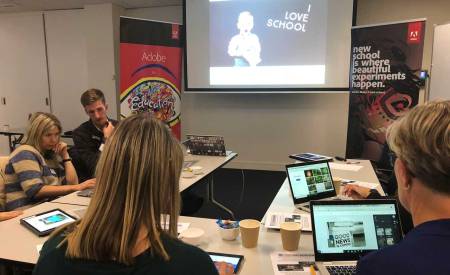
Forest Lake State High School, near Brisbane, was the venue for the first of two consecutive professional learning sessions run by Adobe in Education to help teachers enhance their practice with the use of Adobe’s digital creativity and productivity tools.

Twenty four teachers registered for this event from nine different schools/universities.

Brisbane based Adobe Campus Leader Juliette Bentley ran a delightful workshop session titled Sparking creativity with Adobe Spark. Juliette is a well known teacher of english and she runs a series of creative writing classes for QLD students. She has been using the Spark tools in a creative way to get the best out of students writing and story telling. She has been asked to present her Spark workshops in Townsville and in Singapore later this year.

IMG_6703a

My former colleague and friend Richard Turner-Jones, ran a workshop on how to make the most of Adobe InDesign and Acrobat to create interactive assessment document. Richard is always a great support when I run events like this in Brisbane.

IMG_6705a

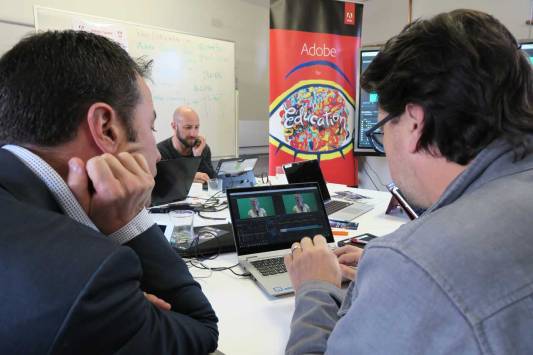
The work shop I ran for this event was on video editing with Adobe Premiere Pro. Even though it is a professional tool, it is not hard to learn the basics of Premiere Pro and it was great to see the teachers get excited about enhancing video production at their schools.

IMG_6700a

The resources for this event can be found on the Adobe Education Exchange via – http://bit.ly/adobe-22May18

Special thank you to MJ Raatz and Nalin Naidoo from Forest Lake SHS for helping to organise this event.

Digital Creativity @ Forest Lake, QLD

It was lovely to be back at Forest Lake State High School near Brisbane to work with a talented group of Year 7s as well as a number of teachers from the area.

The Year 7 students were encouraged to work in a small group to create a series of Adobe Spark Post (digital posters) about their passions.

After sharing the posters, the students were asked to combine with another group and build a video story about their passions featuring their posts.

The main message for these students was to encourage them to consider developing their passions into a job and to start thinking like an entrepreneur while they at school.

Thanks to a continues agreement between Adobe an Education QLD, these students have access to the Adobe Creative Cloud to help them enhance their 21st Century communication & creativity skills.

Adobe at DLTV

logo

On Tuesday 15th & Wednesday 16th May, I had the pleasure of running a set of professional learning sessions with DLTV – Digital Learning and Teaching Victoria titled – Digital Literacy & Creativity in Victorian Classrooms with Adobe.

As described on their website, DLTV is a community with access to professional learning, support, advocacy and a vibrant network of passionate educators.

DLTV1

Most of the teachers at this session were from Department of Education schools in Victoria with a number representing special education schools.

DLTV2

It was pleasing to introduce Photoshop, Spark Post, Spark Video, Premiere Clip, Character Animator, Adobe Presenter Video Express, Premiere Pro, Acrobat DC and other Adobe apps to most of these teachers for the first time.

DLTV3

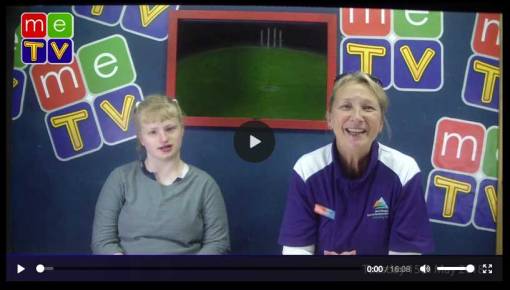
I was particularly pleased to meet Jason Cuttriss who helps manage a TV network called Me TV from his school in the Yarra Ranges especially for Special Schools around Melbourne. Jason told me that he used Adobe Premiere Pro to cut all the MeTV stories and the other teachers from special schools praised the value of this resources for their network of schools.

MeTv1


Special thank you to Cameron Hocking from DLTV for organising this event.

All of my resources for this session can be found on the Adobe Education Exchange via – http://bit.ly/adobe-DLTV-May18

A STEM Focus in the Hunter

IMG_5407

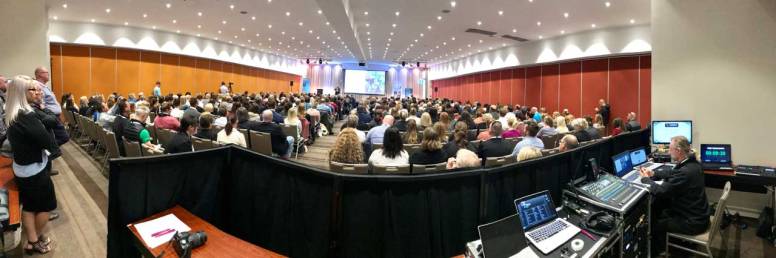
The beautiful Crown Plaza Resort in the Hunter Valley, was the venue for a STEM conference involving about 650 NSW teachers.

STEM stands for Science, Technology Engineering and Mathematics

With the implementation of the Digital Technologies Curriculum throughout Australia as well as a major innovation push by the federal & state governments, there has been a strong emphasis on the teaching of STEM related content to better prepare Aussie students for the future.

CessnickSTEM1

This event was organised by Regional Development Australia Hunter and the Cessnock Community of Great Public Schools which includes 15 schools in the region.

The Newcastle Herald was quick to get this article published.

I was asked to do a keynote session, a hands on Adobe skills session as well as to be part of a Q&A panel session hosted by the wonderful Adam Spencer (from ABC fame) and featuring the amazing Eddie Woo (Australia’s Local Hero 2018).

My Keynote was titled Focusing on creative problem solving skills will enhance employability in the age of automation.

It was a pleasure to share some of the research in this area including Adobe’s research titled Creative Problem Solving in Schools – Essential Skills Today’s Student’s Need for Jobs in Tomorrow’s Age of Automation.

IMG_4066

The workshop I ran was focused on the way Adobe’s free mobile apps such as the Adobe Spark tools can be used to help present STEM related content.

IMG_5640

A highlight for me on this event was meeting and working with the amazing Eddie Woo from WooTube.

Eddie is a Mathematics teacher at Cherrybrook Technology High School in Sydney. His YouTube channel (WooTube) has over 280,000 subscribers and more than 14 million views worldwide as of May 2018. Eddie is a great example of what a teacher can do and be when they use the technologies around them to help engage their students.

Another highlight was listening the the wonderful Sally-Ann Williams from Google. Always an engaging and inspiring presenter, Sally-Ann is also an inspiration for women and anyone interested in IT as a career.

IMG_2445

All my resources from this event are available via – http://bit.ly/adobe-CESSNOCK18


Creativity in Armidale, NSW

IMG_5251a

About 200 teachers from 15 Department of Education schools around Armidale in the Northern Tablelands of NSW gathered together for the first day of Term 2 with a focus on enhancing their digital creativity and communication skills.

I had the pleasure of keynoting this event which was held at the Armidale City Public School.

IMG_5241a

It is always a pleasure to present to a whole school community. Most of my time is spent working with eLearning coordinators, media & ICT teachers and students who are naturally drawn to the value of Adobe software and 21st Century communication. These days, all educators need to keep up to date with a wide range of digital communication techniques and skills to help with the modern learning and teaching process.

IMG_5244a

The other keynote presenter was Dr Simon Crook from CrookED Science a STEM education consultancy working with schools, K-12, from all sectors, around HSC Physics, K-6 Science & Technology and STEM. Simon presented a wide range of practical tips to creatively teach STEM and the Digital Technologies Curriculum.

IMG_2206a

Following the keynote sessions, the teachers took part in a series of hands-on workshops. I enjoyed sharing the value of the Adobe Spark creativity and productivity tools to a number of educators who had never used them before.

This slideshow requires JavaScript.

Other workshops were provided by Newcastle University, The University of New England and CrookED Science.

The resources I shared for this event are available via – http://bit.ly/adobe-Armidale18

Special thanks to Craig McGrath and Maria Russell for the work they put into organising this professional learning day to start the term.

Twilight session with ISV

IMG_2109a

On Thursday 26th April, I ran a twilight professional learning event in Melbourne hosted by ISV (Independent Schools Victoria).

A group of teachers from a range of independent schools around Melbourne enjoyed learning how to apply the three Adobe Spark tools to enhance creativity within their subjects.

One of the teachers found that Spark Video was a great way to enhance the teaching of Japanese. The use of images, text and voice overs is an ideal way to reinforce correct pronunciation.

IMG_2112a

As it turns out, the teacher (Louise) was a family friend who I had not seen since we were children.

IMG_2117a

The resources I shared with these teachers are available on the Adobe Education Exchange via – http://bit.ly/adobe-26April18


Adobe @ Montmorency

IMG_2099a

Montmorency Secondary College in Melbourne’s north-east, was the venue for an Adobe Day and professional learning session run by Brian Chau and myself on Tuesday 24th April.

Brian spent the afternoon with the Year 11 Computing class teaching them some of the ins and outs of Adobe Dreamweaver.

Adobe Dreamweaver CC is a design and development application to build website and mobile applications. It codes in HTML, CSS and JavaScript.

Dwearver1

While Brian was working with the Year 11s, I spent the afternoon with the Year 10 Photography class and ran a workshop on Adobe Photoshop.

Pshop1

It was interesting to note that most of school computers that the students were using had installed the 10 year old CS4 version of Photoshop even though the most recent versions have been available to all Victorian Government Secondary Schools since last year thanks to an enterprise agreement with Adobe.

Some of the students did have an updated version installed on their personal laptop so the word is getting out about the free access to Victorian Government secondary students.

After school, both Brian and I worked with a number of the Montmorency teachers and some visiting teachers from around Melbourne. We did a group activity with the Adobe Spark tools then Brian ran a Photoshop workshop and I ran a session on video editing with Premiere Clip & Premiere Pro.

Click here for more information about Vic Department of Education Secondary schools free access to the Adobe Creative Cloud applications.

Check this video about the Adobe Have a Voice Project that we are running with Victorian and NSW Government schools.


Rethinking Assessment

Macquarie1

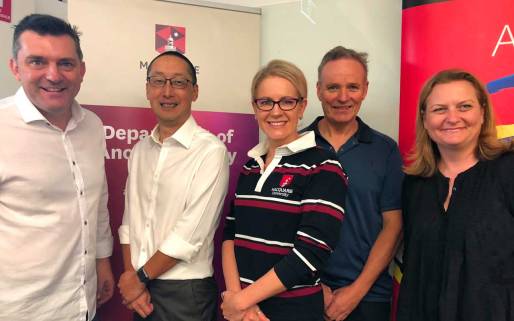
Dr Tim Kitchen (Adobe), Professor Sherman Young, Dr Ronika K Power, Professor Gary Fallon and Sasha McQuaid (Adobe)

The Ancient History Department at Macquarie University invited the Adobe Education Team to help them use some of Adobe’s video solutions to rethink and change the way they do formal assessment.

Educational assessment is a bit like death and taxes, it is an unavoidable part of the education process. However, it doesn’t always have to be a tedious, dry and boring process. Assessment of students is about showing evidence of knowledge gained with an aim to help enhance a student’s learning and capacity. Assessment can be a very creative and exciting process, especially if technologies such as video production are involved.

Dr Ronika K Power, Senior Lecturer in Bioarchaeology is passionate about teaching ancient history. She is a strong advocate for the use of modern technologies to help tell ancient stories and share student’s knowledge. On Tuesday 17th April  she invited the Adobe Education team to work with her staff and help train them in the art of video story telling as a form of assessment.

Ronika1

We began the day with some work-shopping on the use of Adobe Premiere Clip, a free and simple video editing app for iOS or Android. The teachers were impressed with its simplicity and the fact that they could make a quality video production without much if any experience as video makers.

We then moved to Adobe Spark Video, and encouraged the teachers to use  mix of both Premiere Clip and Spark Video. Both have their limitations, but by starting with Clip and finishing off the production with Spark Video, they were able to achieve most of what they needed to make a quality video story including voice overs, transitions, music, still images, moving images and text.

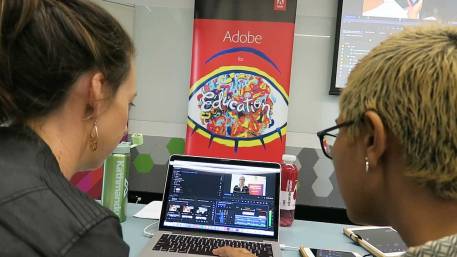
During the day we also filmed a series of interviews with key people from Macquarie University and Adobe. We used this footage to learn how to use Adobe’s professional video editing solution Premiere Pro. The free mobile apps are great for quick, short clips that don’t require a lot of production value. Premiere Pro is the ultimate video editing solution because it has no real limit to what can be created. It is the standard for the TV & video production industry and is even use in Hollywood film making.

PremPro1

Premiere Pro is relatively simple to use when it comes to stitching together clips and  layering titles and audio. It can get a bit complicate when adding filters and doing special effects, but after a couple of hours, most of the Macquarie History teachers were getting their heads around the basics and were very excited about the potential of what they can now achieve in terms of their own teaching and, most importantly, how they can encourage their students to construct their learning more creatively.
PremPro2

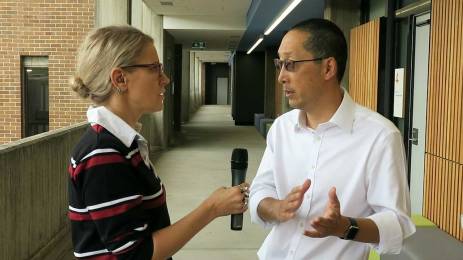
Professor Sherman Young, the Pro Vice-Chancellor Learning and Teaching at Macquarie University was interviewed. He said that allowing access of Adobe software to Macquarie students and exposing them to these industry standard tools is important.
Sherman1

Dr Power interviewing Professor Young, Vice-Chancellor of learning & teaching at Macquarie University

Professor Gary Fallon, Professor of Digital Learning in the Department of Educational Studies was also interviewed by Dr Power. He said that he sees the Adobe products as a very interesting platform for self expression, creativity and for the developing of original products and collaboration.
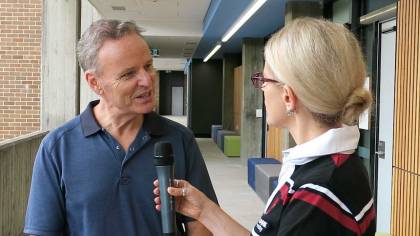
Garry1

Dr Power interviewing Professor Fallon

Stay tuned for the video story about this day which will soon be published on CreateEdu TV.


If you are interested in having the Adobe Education Team visit your campus for some professional learning or a student incursion, please contact us via – http://bit.ly/book-adobe


Teach Tech Play 2018

TTP1

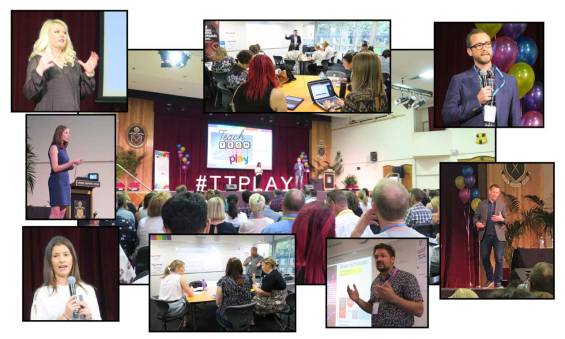
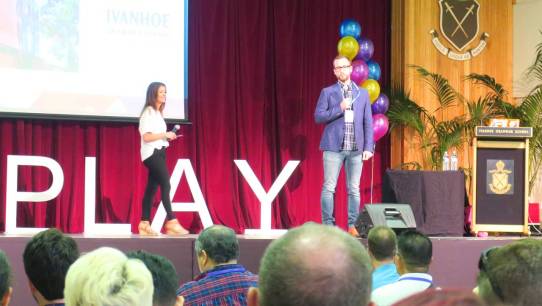
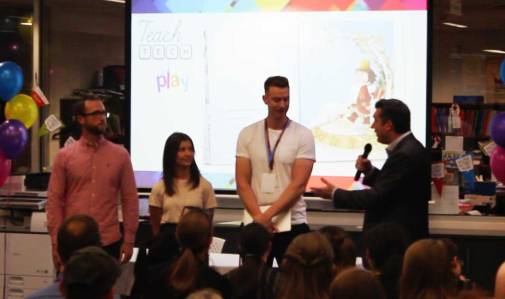
Teach Tech Play is one of my favourite annual professional learning events because it is genuinely organised purely by full time teachers who give up their valuable time to provide learning opportunities and inspiration for other teachers.

Eleni Kyritsis (Strathcona BGGS), Corey Aylen (Haileybury) & Steve Brophy (Ivanhoe Grammar) run Teach Tech Play. They do a great job each year organising this event.

Eleni&Steve1

Kasey Bell, Tom Barret & Emily MacLean were the main keynote presenters. They all had a wealth of experience to share.


There was a dedicated Adobe workshop room for the two days of the conference where participants were able to choose from a great selection of topics.

IMG_2013

Day 1

  • Sparking Creativity with Adobe Spark – Dr Tim Kitchen
  • Teaching Media Art Using Adobe Mobile Tools – Joel Aarons (AEL)
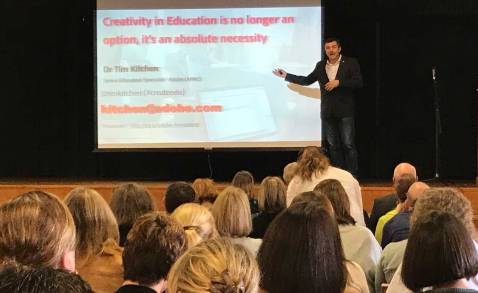
  • Smartphone Filmmaking – Dr Max Schleser (AEL)
  • Making cool HTML websites without coding – Dr Tim Kitchen

Day 2

  • Amplify your legendary status by becoming a ‘Classie’ designer – Andy Hair (ACL)
  • Make Photoshop Puppets come alive with Adobe Character Animator – Dr Tim Kitchen
  • Enterprise and Digital Technologies: Social Media Marketing using Adobe Tools – Michelle Dennis (ACL)
  • Photoshop Tips & Tricks – Dr Tim Kitchen

This slideshow requires JavaScript.

Stay tuned for a video about this conference, coming soon to CreateEdu TV.

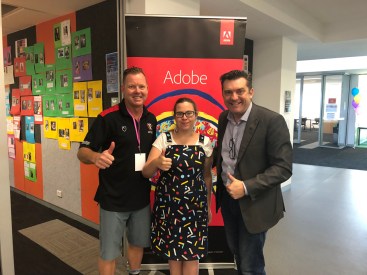
tim&eleni

tim&TTPTEAM

Adobe at the Sydney Microsoft Store

ms2

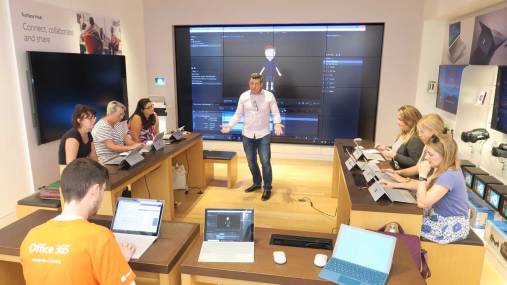
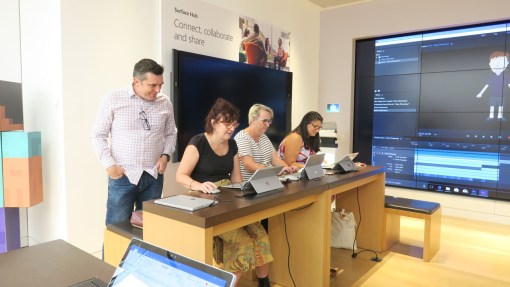
The close relationship between Adobe and Microsoft continued last week when the Microsoft’s Sydney flagship store in Pitt St was the venue for a special educator’s professional learning event titled – Animating with Adobe Character Animator.

IMG_5966a

The teachers who attended this event, were introduced to Adobe Character Animator as a tool for doing real-time animation of 2D puppets made with Adobe Illustrator or Photoshop.

These teachers (who were all from the NSW Department of Education)  were shown how to personalise a puppet with Photoshop, prior to animating it. Then they had fun recording a short animation by tracking their facial movements via the webcam.

IMG_5962

They exported their animations with Adobe Media Encoder and imported them into Adobe Premiere Pro to add special effects and enhance their clips.

Special thanks to the community team at Microsoft for helping to put this session together.