Book an Adobe Expert

With so many schools and universities looking at web-based teaching and learning opportunities, Adobe are offering their enterprise education customers the opportunity for time online with one of their experts.
BookExpert1

This could be for an online session with a group of students and their teacher/s or it could be an online professional development event for teachers (minimum of 5).

Click here for more information & registration

This video explains more about what Adobe is offering students and teachers during this time.


A wide range of on-demand and online resources can be found via …

The Adobe Education Exchange – a portal that involves over 770,000 educators globally from all curriculum areas who provide lesson plans, video tutorials, courses and other resources.

The Adobe Distance Learning Resources – whether your school routinely supports distance learning or is facing unexpected closures, we’ve assembled these resources and learning opportunities to help educators engage remote students through online learning.

The Adobe Help Centre is a one-stop shop for beginner and advances tutorials and support for teachers, students and everyone.

Adobe in Education YouTube Channel – video resources by teachers for teachers.

Adobe Creative Cloud YouTube Channel – video resources for everyone

Adobe Live – live video resources for everyone via Behance

Adobe EduTips – a set of Adobe in Education tutorials by Dr Tim Kitchen from Adobe on CreateEdu TV
Adobe Day at Strathcona

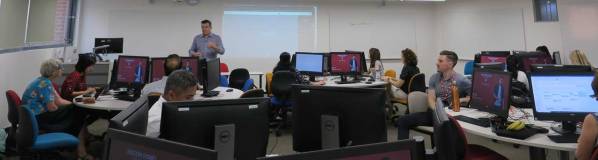
On Friday March 6, Adobe Senior Solution Consultant Brian Chau and I had the great pleasure to spend a day with all the Year 9 students from Strathcona Baptist Girls Grammar School in Melbourne for a Adobe day.

This event was planned by Adobe Education Leader Michelle Dennis who is Strathcona’s Head of Digital Learning and Innovation and Karyn Murray, the Head of Year 9.

Michelle organised a wonderful day that involved the girls breaking into masterclass workshops based around learning how to use Photoshop, Illustrator, Dimension, Premiere Rush and Adobe XD to design a range of solutions.

Watch the above video to find out more.

It was during this event that the news came through that all Adobe employees were grounded and not able to travel due to the ever-changing COVID-19 situation. So it was lovely to have such a successful event prior to doing most of my work online.


Extra Creative Cloud access for students at home during this time

With many schools facing physical campus closures and moving to online learning due to COVID-19, Adobe have announced this week that they are giving greater access to the Adobe Creative Cloud desktop apps to facilitate distance learning.

This will make it possible to keep coursework, teamwork, and student progress on track through at-home access to Creative Cloud for students and educators.

CC access

Adobe is providing temporary “at-home” access to higher education and K-12 institutional customers globally who currently make Creative Cloud apps available to students who login through on-campus labs. This will be granted through to May 31, 2020 at no additional cost. To learn more and request access, please follow this link.

See the official Adobe blog post about this.

Distance-Learning1

Adobe have also launched a dedicated Digital Learning Resources hub on the Adobe Education Exchange to help during this climate of change (direct link: https://edex.adobe.com/distance-learning)

This helps to demonstrate that Adobe is committed to reaching and supporting education customers with additional, free teaching resources (courses, webinars, articles, blogs, lesson plans, projects, and more). 

Extra online Inject Creativity events for APAC educators

More specific help for educators in the APAC region is now available as the very popular Inject Creativity into the Curriculum with Adobe professional learning events have gone online. This means more access to more educators around the APAC region. Click the above link to find out more and register. Please share this with you colleagues and wider education networks.

These are NESA endorsed for NSW teachers.

Some feedback comments from this week’s online events …

  • A good overview of some apps I was not familiar with and a chance to update myself what’s new in others ie Spark has added a heap of templates
  • Great session thank you a highlight was learning how to engage my students with these different programs.
  • The last few Adobe app demos were mind blowing
  • A highlight was seeing new apps and their creative potential, very impressive! Looking forward to experimenting more with them.
  • XD & Rush. Just started using these, so just in time PD gratefully received.
  • I gained some new skills in Adobe, including using some programs I had not used before! It was informative and helpful.
  • Thank you so much for this opportunity
  • Learnt some new tips and tricks – thanks.
    Tim_Online
    Tim & Jerry online

Injecting Creativity in Sydney

IMG_0793a

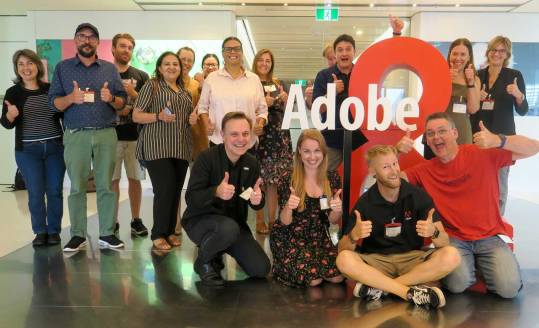
A wonderful group of educators from K12 & Higher Education visited the Adobe Sydney office on Thursday 27th February for an Inject Creativity into the Curriculum professional learning event.

It was great to have Adobe Education Leaders Brett Kent (NSW DoE) and Craig Daalmeijer-Power (TAFE NSW) help run some workshop sessions and also Bec Smith from Northern Beaches Christian School who shared her passion for Photoshop.

It was also great to have a cameo appearance from Adobe Education Leader Emeritus Chris Betcher.

IMG_0787

Some of the feedback comments from this event included:

  • Very informative
  • The presentation was spot on. Very informative. The presenters were very passionate about Adobe products and how theses products can be used in educational settings.
  • A great course. Great venue
  • A highlight was seeing the range of tools available. 
  • A highlight was the augmented reality dinosaur.
  • A highlight was learning Spark which I will start using immediately with our school group that produces news videos for the school – a new group of year 7 students that I started this term.
  • Engaging and interesting and inspiring
  • A highlight was art activities in a Photoshop and character animator with puppets 
  • A highlight was learning how to use new apps and being inspired to bring them to my classroom.
  • A highlight was the hands on opportunity to experience Rush
  • Highlights included learning Character Animator and Adobe Aero 
  • A highlight was engaging with other educational staff and sharing knowledge
  • A highlight was Photoshop and learning about Aero.
  • It was great to be able to learn more about Adobe products and programs that I would not normally use or have any knowledge of.

IMG_0791

Click here to register for a similar event in your part of Australia.

Spark Page at WSU

IMG_1262

On Wednesday 26th February, I had the pleasure to run two sets of Adobe Spark workshops with academics and professional staff at the South Parramatta Campus of Western Sydney University.

IMG_0736a

The focus of these workshops was Adobe Spark Page and how it can be used to enhance communication for students, academic and non-acadmic staff. This is one of a range of events that Adobe has been running with WSU to help enhance awareness and use of their Adobe applications.

spark_for_education_sticker_3x3

MAKE IT – SYDNEY

MakeItSydnTim1

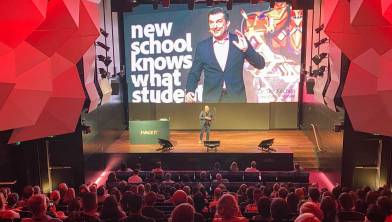
The Telstra HQ in Sydney was the venue for the Adobe Make IT roadshow event on February 25 and this image was used to advertise the education session. I’m not sure it was big enough.

IMG_1240

This event involved a great mix of industry professionals and educators all sharing a passion for digital creativity.

The digital signage created by Adobe’s Solution Consultant teams was outstanding.

It was a pleasure to run the education sessions with a nice mix from K12 & Higher Education.

MAKE IT – MELBOURNE

IMG_0657a

On Thursday 20th March, the Adobe Make It roadshow came to Melbourne’s Telstra HQ.

The guest customer speaker was Professor Duncan Bentley, Deputy Vice-Chancellor (Academic) of Swinburne University.

IMG_0664

Professor Bentley shared how proud he is of the fact that his university has become Australia’s first Adobe Creative Campus. This means that every Swinburne student and staff member gets free access to the Adobe Creative Cloud thanks to the agreement they have with Adobe. Click here for more information.

IMG_0674

He described how important this decision was in terms of encouraging Swinburne students and staff to develop their creativity, collaboration and problem solving skills.

IMG_0670

I recently interviewed Professor Sarah Maddison, Pro Vice-Chancellor Academic Innovation and Change about this initiative during one of out Adobe Creative Jam events.

Digital Creativity at East Doncaster Secondary College

EastDon1

On Wednesday 19th February, I had the pleasure to visit East Doncaster Secondary College in Melbourne’s eastern suburbs to work with some of their media and art students.

IMG_1160

I was very pleased to meet with Media teacher Brett Lamb and see some of the great work he is doing to enhance digital creativity and communication skills at his school.

Character Animator and Premiere Pro where the two main applications that I demonstrated and work-shopped. The student picked up the basics and some of them displayed considerable talent.

The Victoria Department of Education are in the process of providing access to the most recent Adobe Creative Cloud applications to all of their secondary schools. So it is a pleasure to share the value of these tools throughout Victoria this year and see students and teacher make the most of them in the curriculum and beyond.

During this event, I also deomstarted Fresco and Aero and gave one of the students about 5 minutes to do a quick Fresco sketch. This is what she came up with …

IMG_1166

She also showed me what she had recently created with Photoshop …

IMG_1168

Another great example of when you give students the tools, time and encouragement they can produce incredible results.


Adobe MAKE IT Brisbane

MakeItBris1

On Tuesday 18th February, Adobe took over the Sofitel Hotel in Brisbane for another Make It event.

It was great to have a large number of graphic designers, video producers, UI & UX experts and educators mixing together to see what is new in the world of Adobe applications.

image3

A large number of educators had a special session with me that focused on Adobe resources and apps that are used by educators around the globe.

IMG_0607

We went through a range of desktop & mobile tools including Character Animator and Spark.

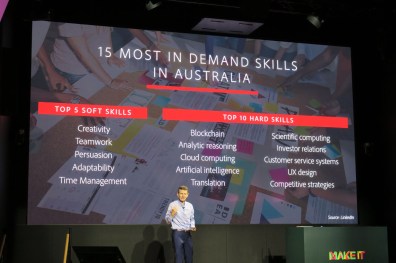
We also went through some of the research behind the importance of creativity in education and shared the value of the amazing Adobe Education Exchange.

IMG_0645

The participants were encouraged to create a Spark Page to document some of their leanings during this session. Click here to see what Erin Raethke from TAFE QLD produced. She also had this to say about the event …

I really engaged with all of the presenters and content – everyone did an exceptional job. The section of the presentation that dealt with building a 3D object in real time with imported custom textures was really interesting and has inspired me to want to experiment in my own time. Tim’s session: I enjoyed the enthusiasm of his presentation style (not just because I got a sticker). Although I have used all of the products he demonstrated before, I found the challenge of creating a ‘blog’ style page about the event in real time an engaging challenge… and I appreciated the risk in giving people your ‘blessing’ to play with their phones during your presentation. I guess if people are going to look at their phones anyway, might as well direct their attention to engaging with the content!

Erin

Most of the resources that I shared during this event can be found here on the Adobe Education Exchange.