Taking video to the next level

IMG_0114a

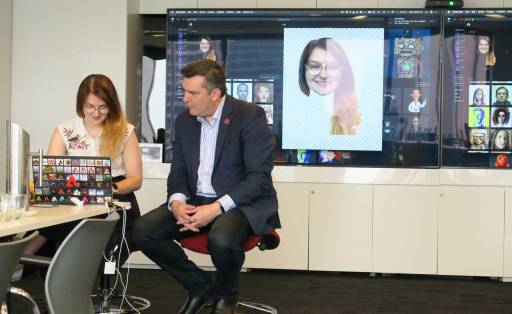
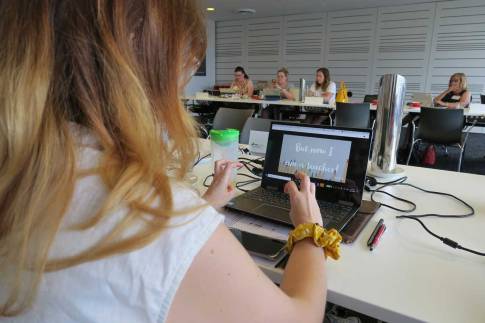
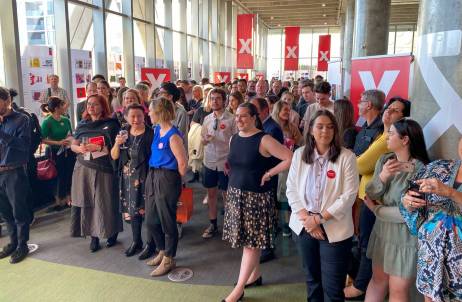
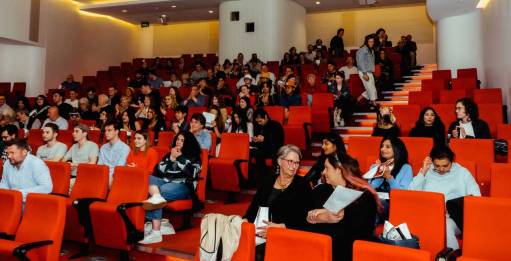
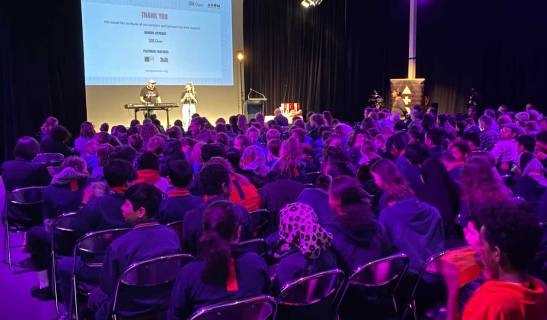
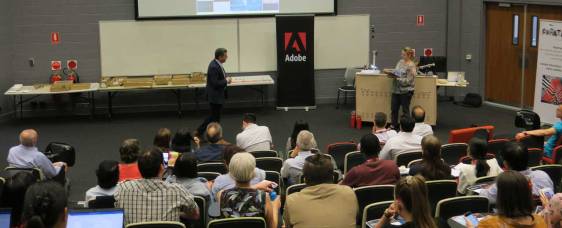
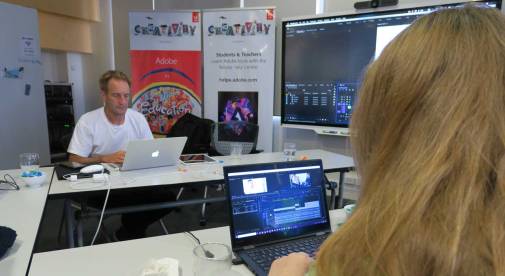
On Thursday November 7, I had the pleasure to run an advanced video workshop for a group of teachers from Methodist Ladies College, Camberwell Girls Grammar and Kingswood College in Melbourne. This all-day event titled Taking Video Production to the Next Level was hosted at the Independent Schools Victoria office in South Melbourne.

After touching on the Spark tools as a simple way to create video solutions we quickly jumped to Character Animator, Premiere Rush and then spend most of the day working with Adobe Premiere Pro.

On a personal note, it was lovely to connect with the Kinswood College which is where I started by teaching career back in 1991. It was also great to catch up with Kim Perkins from Camberwell Girls Grammar who was my manager when I first worked at Strathcona in the early 2000’s.

My resources for this event can be found on the Adobe Education Exchange via – http://bit.ly/adobe-ISV19a


Creativity in Melbourne’s West

IMG_0103a

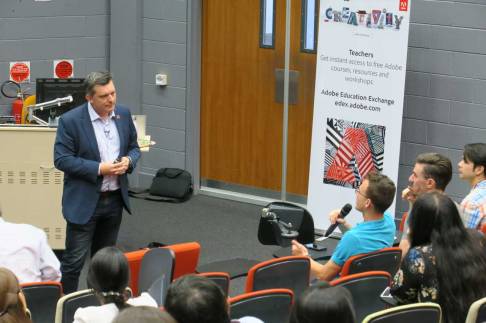
On Thursday 31st October, I had the opportunity to spend a couple of hours with a group of eLearning specialist  and deputy principals from a number of Catholic primary schools in Melbourne’s west. This was organised as by the Catholic Western Region eLearning Network of Victoria.

IMG_0102a

The focus of this session was the use of the three Adobe Spark apps for browser and for iPad. Most of the teachers were new to the Spark apps so we had an opportunity  to introduce each app and share how they could be used within a range of teaching and learning experiences.

Feedback comments from this event  included …

  • Loved learning about how easy ADOBE products are to use. Can’t wait to share learning with staff and get students using.
  • It’s fantastic to see what is possible with with Adobe products and how easy it is to use them with students.
  • Looking at what you can do with the apps was eye opening.

The resources I shared for this event can be found on the Adobe Education Exchange via – http://bit.ly/adobe29Oct19


Creativity Matters – Shantanu Narayen, Adobe CEO at Adobe Max, 2019

CreatiivtyMatters2

Here are some excerpts from Shantanu Narayen‘s opening keynote presentation at the 2019 Adobe Max conference.

Shantanu has been the CEO of Adobe since 2005.

Adobe’s mission is simple and powerful. We want to change the world through digital experiences. And [for over three decades] it is this purpose that has guided everything we do we.

With Creative Cloud we are unleashing creativity, giving anyone anywhere the tools to express themselves.

CreatiivtyMatters

All of Adobe’s 22,000 employees have a singular focus on empowering everyone to create experiences that inspire, transform industries and move the world forward.

We are in the golden age of creativity. Story telling has never been more rich thanks to the innate desire to communicate and the  power we have today with digital technology. It is the foundation of arts of culture, its critical to education and entertainment. And it powers societal change as well as drives economic powers and breakthroughs. It doesn’t matter if you are a designer an engineer, a student or a business owner, creativity today is a fundamental skill and at the core, creativity is actually all about making emotional connections.

Shantanu1

Digital literacy helps students see things in a whole new light

Amazing things happen at the intersection of imagination and technology. Adobe aims to empower all voices from creative professionals to students, astronauts to office workers. We need to make accessible the power of rich media so anyone can tell their story.

Adobe is pushing the boundaries of technology to give you new ways to express your vision. Voice, AR, VR, 3D, animation, video, Photoshop, illustrations, screen design. Adobe is innovating to make the world your canvas.

Me&Shantanu

Meeting Shantanu at Max 2018

During Max 2019, Adobe announced the next generation of Creative Cloud – a release of faster and more powerful products across multiple surfaces. This includes

  • Adobe Photoshop on iPad,
  • Adobe Fresco now on Microsoft Surface,
  • Adobe Aero (a new authoring tool for creating in augmented reality)
  • A previews of Adobe Illustrator on iPad, and
  • the new Photoshop Camera

Adobe also released updates to LightroomPremiere ProAfter Effects, InDesign and Adobe XD. They also annonced new Adobe Sensei (AI) powered features such as Auto Reframe in Premiere Pro, Object Selection in Photoshop, Auto Tone in Photoshop Camera and Live Brushes in Fresco.

More information:
Read the blog post: Launching a New Version of Creative Cloud for a New Era of Creativity


Aurora College visits Adobe

IMG_0071a

Over 50 students and 5 teachers from Aurora College visited Adobe’s Sydney office on Wednesday 30th October for an Adobe Day.

AuroraCollege1

Aurora College is a NSW Department of Education Virtual Selective High School that provides students in rural and remote areas the opportunity to study specialist subjects using the latest technology.

IMG_0093

Twice a year the students from all over NSW come together for a city experience and on  this day, after a visit to the Opera House, they spent the afternoon at Adobe.

The focus of this Adobe Day was introducing  the students to Character Animator as a tool to enhance their presentations as well as Adobe Spark.

At one stage, the students had the challenge to work with a partner to produce a short creative film about their passions in 15 minutes. For many students this would be an impossible task but being a selective school, Aurora College is dominated by very talented students and so the results were very impressive. The fact that they  picked up Adobe Spark video so easily also helped.

IMG_0081


Injecting Creativity in Sydney’s West

IMG_0053a

Over 80 teachers from Sydney’s western suburbs registered for an Inject Creativity into your classroom event at the wonderful Bossley Park High School held on the afternoon of Tuesday October 29.

The session began with a series of Adobe software tasters for the classroom featuring Charter Animator, Spark Video & Spark Post.

IMG_0059

Then the participants had a choice of three breakout workshop sessions that provided a deeper dive into a a number of Adobe applications. These were run by Adobe Education Leader Brent Kent, Adobe Campus Leader Michael Turner and myself.

breakouts1.jpg

IMG_2509

Some of the feedback comments from this event included the following:

  • I was overwhelmed about the powerful apps in Adobe Creative Suite. I was happy to learn about Premiere Rush, Premiere Pro, Adobe Spark, etc and how they be used to create amazing projects/products.
  • Really enjoyable because of the style of presentation involving the audience. Heaps of websites to help with further study for students.
  • Sharing the applications with year 7 students to undertake practical work using the applications
  • The workshop was very engaging and informative. Can’t wait to use it!
  • InDesign workshop was great
  • The video session was mind blowing
  • This workshop provided practical and engaging strategies to incorporate Adobe software into my teaching.
  • A highlight was learning about software such as adobe spark, rush and premiere
  • Great informative useful workshop
  • A highlight was seeing how to use Spark since we can access it for free on phones. It was easy to see how we could use it with little set up.
  • A hi light was learning new things about programs that I haven’t used for a while as well as new programs I didn’t know about
  • Tim was able to give us a simple run down of a lot of the applications
  • InDesign really got me interested.
  • A highlight was discovering a range of tools to make more effective resources
  • A highlight was seeing how the tools and software capabilities have improved efficiency for users. Loved Spark, Character Animate and Rush!!
  • Great event, high engagement
  • Engaging presenter and effective modelling of different programs
  • I was really impressed by InDesign. I have never used it previously. I am now determined to learn it and use it.

IMG_0040

My resources from this event  can be found on the Adobe Education Exchange via – http://bit.ly/adobe29Oct19


Prior to this Inject Creativity event with the teachers, I had the pleasure spend a couple of hours with a group of  talent Year 7 students from Bossley Park High School, introducing them to the Adobe Spark tools and Character Animator.


Adobe @ Haileybury

Haileybury2.jpg

On Wednesday Oct 23, I was invited to spend a few hours with a number of Haileybury College teachers from a few of their campuses to introduce them to the Adobe Spark tools as well as Adobe XD and Adobe Portfolio.

Haileybury is one of the largest schools in the Southern Hemisphere. It has six campuses  in Keysborough, Brighton, Berwick, Melbourne (City), Darwin and Beijing.

They are running a multi-campus interdisciplinary design thinking program where Adobe XD and Spark will play a prominent part. It was a pleasure to work with these passionate educators who represented a range of curriculum areas.

A special thank you to Dr Kyi Muller, Haileybury’s Director of Innovation & Entrepreneurship (Keysborough), for inviting me to be part of their school for this event.

The resources I shared can be found on the Adobe Education Exchange via – https://bit.ly/adobe-haileybury19


Adobe will be back at Haileybury (this time their city campus) again in 2020 on May 26 for an Inject Creativity into the Curriculum with Adobe event.

Technology in the Tropics 2019

IMG_7573a

It was great to be back at the Technology in the Tropics education conference in Cairns, Nth Queensland on Monday October 21.

About 200 teachers were invited to hear from about 30 technology and education experts and take part in about 40 elective workshop sessions.

IMG_7587

I was asked to do a keynote session that focused on preparing young people for a future automated workplace.

kn1

My slides for this session can be found on the Adobe Education Exchange via – http://bit.ly/adobe-tropics19

Following the keynote, I was also asked to run an Adobe Spark workshop that was dominated by teachers who had never use the Spark tools before.

It was also great to catch up with the wonderful Andrew Fuller who was also presenting at the event. We seem to regularly run into each other at education events and airports around the country.

IMG_7589

I also enjoyed catching up with my friends and fellow Edu Conference junkies Sue Carter and Leanne Cameron who were also both presenting.

IMG_7588

Special thank you to QLD Adobe Education Leader Leigh Howser who was one of the coordinators of this great event.

IMG_7597

Enhancing digital creativity in Malaysian universities

Malay1

I was privileged to work with about 50 educators from 20 Malaysian universities who traveled to Kuala Lumpur for a two-day Adobe Creativity workshop.

IMG_1949

We began the first session with an introduction Adobe in Education then moved to a series of Adobe Spark activities.

The educators were encouraged to create a Spark Page, a Spark Video and some Spark Post graphics via their laptop browser and mobile devices.

Following the Spark activities we looked at Adobe InDesign and Acrobat as a way of creating and manipulating PDF documents.

Then we had some fun with Adobe Premiere Rush and Adobe Character Animator to finish of the first day.

IMG_7486 2

The second day began with an Adobe XD workshop.

Many of the educators were very excited to discover the possibilities that Adobe XD provides in relation to designing, prototyping and sharing.

The rest of this day was all about discovering resources such as the Adobe Education Exchange and the Adobe Help Centre.

IMG_1950

The main resources shared during this event are available on the Adobe Education Exchange via – http://bit.ly/adobe-MalaysiaOct19

Some of the feedback responses included …

  • I am very happy with the Adobe training organized by Dr. Tim Kitchen. This training is very useful for me to support learning in school. Thanks for all….
  • Awesome workshop
  • Thank you for your superb knowledge and experience sharing.
  • Good workshop and showcase on the use of adobe application. It will be beneficial for the academic as well as research
  • Thank you so much for the inspirational and concise updates on the Adobe software
  • Very impressive training session and helpful resources for teaching and learning materials.
  • Thanks for the 2 days sessions adobe! really great new knowledge and really hope can bring Dr. Tim Kitchen to my Uni for some lecturer talks.
  • Hopefully I will be able to implement all new things learnt during these 2 days into my teaching materials

IMG_7549

Special thank you to Adobe Account Executive Sandra Otero for organising this event with Adobe’s Malaysian education sales partner Prestariang.

logo_prestariang

A Creativity Challenge for Indonesian Educators

Indo1

Over 600 Indonesian teachers applied for 25 places at this week’s Adobe Creativity Challenge in Jakarta. The lucky 25 were a mix of media, IT, mathematics, science and humanities teachers from all over the country. The Indonesian Ministry of Education flew them into Jakarta and paid for their food and accommodation so that they could make the most of this two-day professional learning opportunity that was organised by the Indonesian Ministry of Education,  Teknologika and the Adobe Singapore office.

IMG_5564

Their challenge was to work in a small team to produce a 3 minute video on the topic – A Promising Creative Industry for the Digital Native.  The criteria included:

  • Edited in a mix of Spark Video & Premiere Rush
  • Character Animator should also be featured
  • At least one image manipulated in Adobe Photoshop should be used
  • About 3 minutes
  • All images and audio must be original or royalty free
  • If in Indonesian, must have English subtitles

With the help from my translator Sonny Adi Purnomo, we started the event by introducing the group to Adobe Spark Page and encouraged them all to create a Spark Page that they could use to record and reflect on all their learning. Then we encouraged them to join the Adobe Education Exchange and explore some of the amazing resources that are available to enhance their ongoing digital creativity skills.

IMG_7426

Adobe Spark Video was then demonstrated an work-shopped.

IMG_7429

Then we looked at Spark Post as a way of making graphics for our video as well as short animations via the Android & iOS version.

IMG_7435

Following a morning of Adobe Spark activities, I introduced the teachers to Adobe Premiere Rush. They were so impressed with the power, yet simplicity of this video editing tool and the versatility of working with it on a phone, tablet, laptop or desktop.

IMG_7472

The afternoon of the first day was all about Adobe Character Animator. The teachers were encouraged to manipulate and animate some of the built in puppets and reflect on who this tool could help enhance student voice and engagement. They loved the Characterizer plug-in to Character Animator that enabled them to create a puppet based on their own face.

IMG_7480

The rest of day 1 was based on enhancing their Photoshop skills with a range of techniques such as:

  • image compression
  • camera raw filter
  • cropping & straightening
  • content aware fill
  • clone stamp tool
  • spot healing brush

IMG_7479

IMG_7436

Day 2 was all about the challenge. They had about 3 hours to work with their team to plan, film and edit their video story.

IMG_5582

IMG_7460

There were 6 teams and each interpreted the topic in different ways. All groups did a great job at applying everything they learned the previous day.

Here are a couple of examples of the films that were made …

I would like to give a special thank you to the Indonesia Ministry of Education, Lili from Teknologika, Sonny for being such a great translator and Greg Sisk from the Adobe Singapore office for inviting me.

Adobe at Monash

IMG_7416

Adobe came to Monash today for a a great day of professional learning and active use engagements with a wide range of staff and students.

Monash1

The day began with an Adobe Spark event involving a number of Education students. For most of them, it was their first time being exposed to the amazing Adobe Spark tools. It was so pleasing to see their smiles as they started creating and saw the possibilities of this software in action when they hit Victorian classrooms as future teachers.

The afternoon was spent with a number of Monash teachers from a range of faculties rotating through sets of the following workshops:

  • Creating podcasts using Adobe Audition
  • Design Thinking with Adobe XD
  • Video for Everyone with Adobe Premiere Rush
  • Storytelling using Adobe Spark

Special thank you to Adobe Solutions Consultant Anna Nakao for helping to organise this event and for Brian Chau and Matt Davis for their expertise in the workhops.