Anti Bully Focus with Sydney Boys High

IMG_4630a

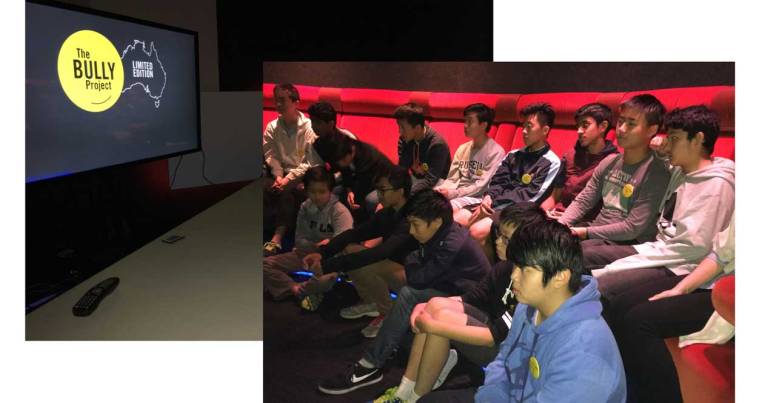
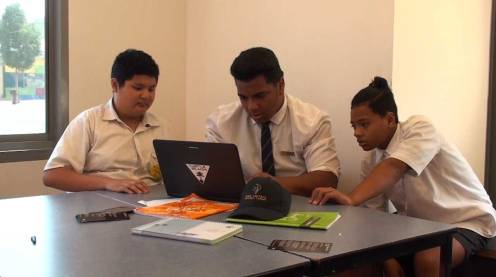
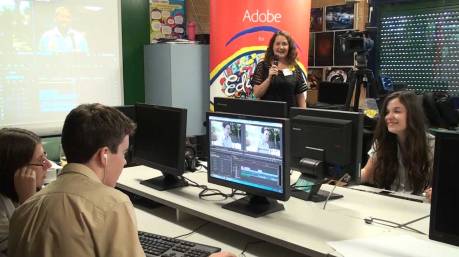
It was a delight to work with a group of talented film makers from Sydney Boys High School today at the Sydney Adobe Office along with their teacher Paris Kotik and Katie Barry from The Bully Project.

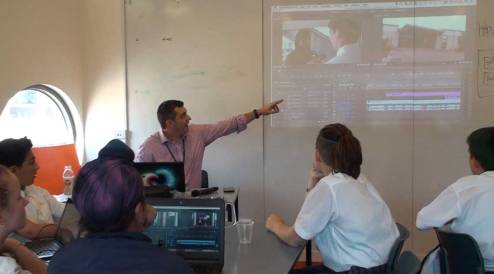
We started the day with clips from the movie Bully to inspire the boys and set them the task  to have a short anti-bullying film made by 2.30 in the afternoon.

briefing

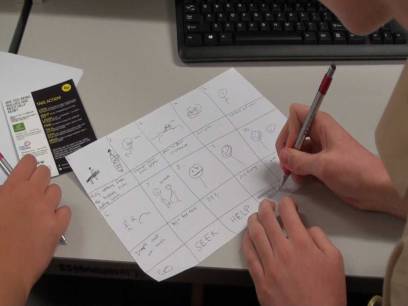
The boys divided into small production crews and lots of initial planning went into the pre-production stage.

IMG_4583a

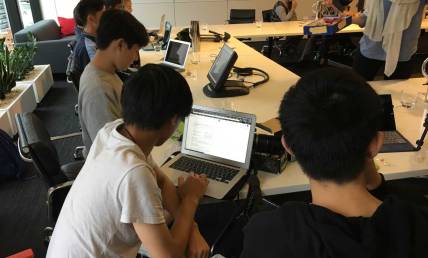
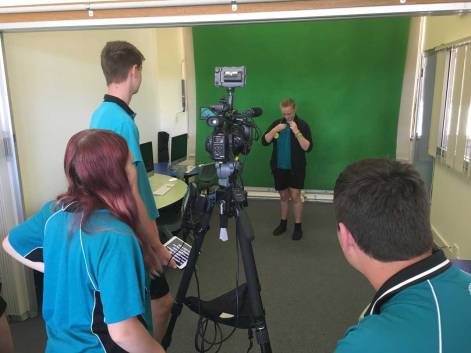
Once the films were planned, the groups collected the footage, audio files and still images for their stories.

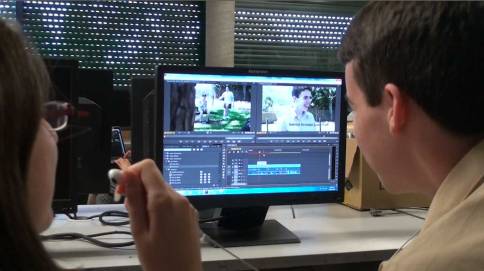
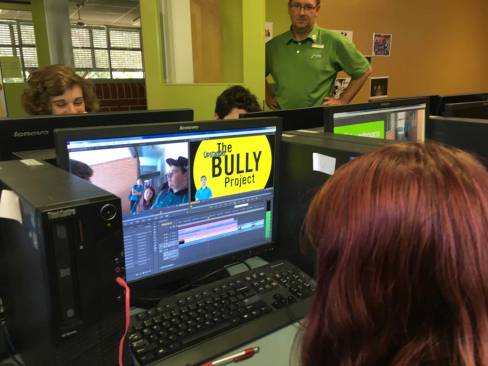
The editing was completed with a mix of Adobe Premiere Pro and Adobe Premiere Elements.

Stay tuned to The Bully Project Mural to see some of the work produced by these talented students.

The Bully Project @ Hume Central

HumeCentral1

The Bully Project came to Hume Central Secondary College in Melbourne’s north in the form of an Adobe Day on Friday 11th March, 2016.

index

Katie Barry and I were introduced to a great group of Year 7 to 9 students who recently watch the movie Bully.

The aim of this day was to encourage the students to work in a team (production crew) to produce a short video with an anti-bullying theme using Adobe Premiere Pro.

katie1

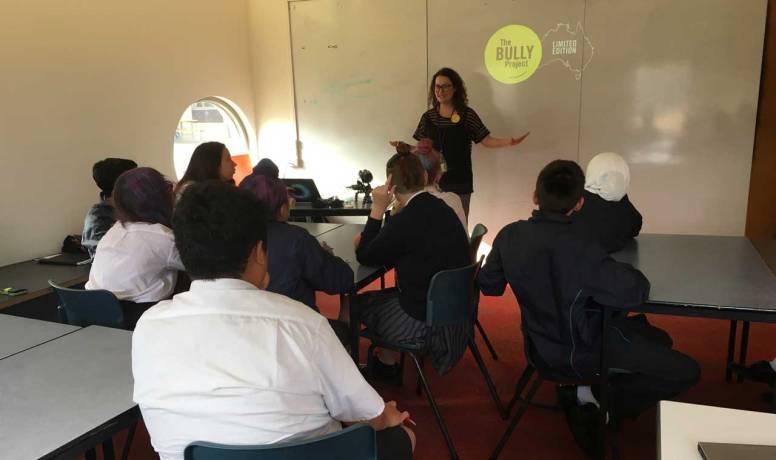
Katie set the scene with a chat about what the students remembered from their viewing of the Bully documentary. I was very impresses with what they recalled. The film seemed to really make an impact on them.

planning1

Planning is a crucial before filming can take place. It was great to see the development of  a number of interesting and creative ideas, each with their own slant on the anti-bullying theme.

planning2

After the planning (pre-production) stage, the students used a range of recording equipment to capture their footage, still images and audio files.

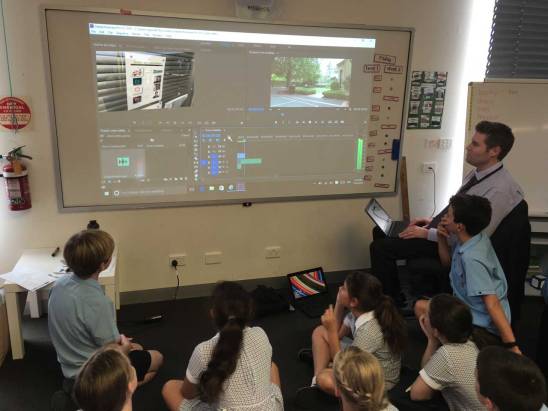
The final stage of the day involved uploading all the files onto a number of laptops and working with Adobe Premiere Pro to do the editing.

I gave them some basic editing techniques to work on and we added to them throughout the editing session.

Tim1

The process of working with a small group to do a video project in a short period of time, involves the execution of a range of key life skills such as project management, collaboration, communication, problem solving, computational thinking, listening and creative thinking.

Katie and I were very impressed with what the students were able to achieve. We are hoping that some of their work will end up on The Bully Project Mural for the world to see.

Special thank you to the great staff at Hume Central Secondary College, especially Mrs Mary Mesquita (Teacher Librarian, Resources Manager & Coach eLearning Leader) for organising this special day for the students.

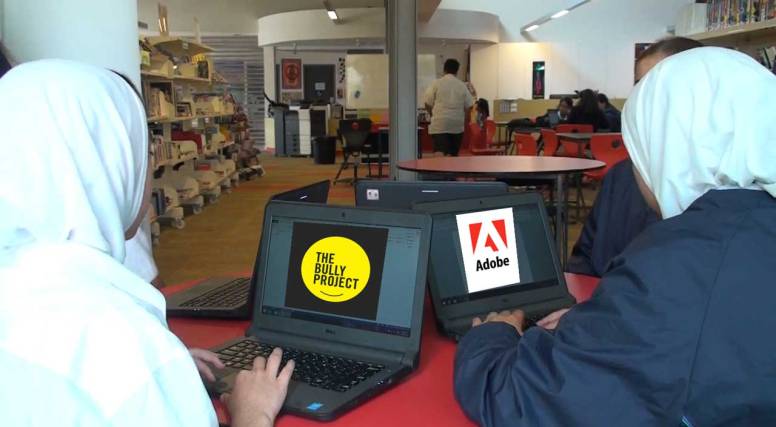
Bully&Adobe

Stay tuned to CreateEDU TV to see a story about this day.

ICT Educator of the Year – NSW

chris1

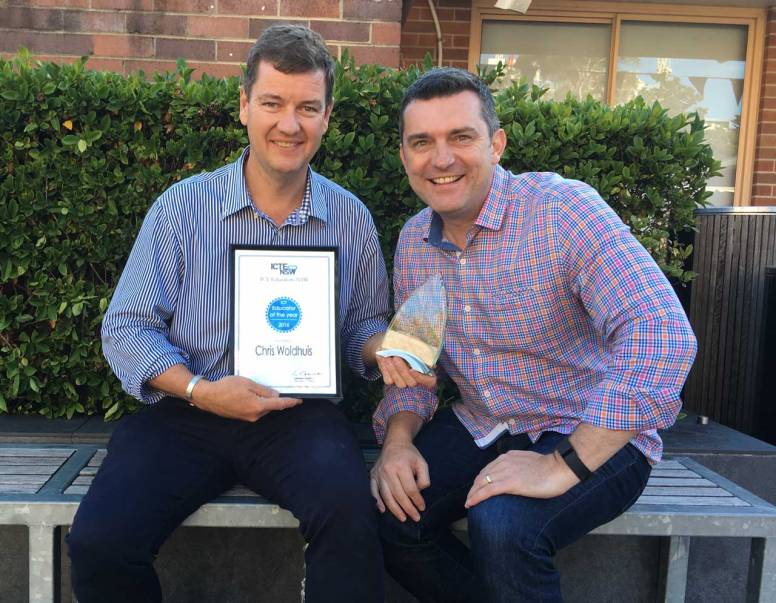
Special congratulations to Chris Woldhuis who was today announced as the NSW ICT Educator of the Year.

Chris is the Assistant Principal (Staff PD & Student Opportunities) at Northern Beaches Christian School (NBCS) and he is also an Adobe Education Leader.

This announcement was made today at the ICTENSW Conference where Chris was activly involved with a group of NBCS students capturing various keynotes and presentations.

Tim&Chris

I’ve had the pleasure of seeing Chris in action at at NBCS and work with him at a range of Adobe events over the past two years. He is a very worth winner of this award.

A Big Day In – Sydney

BDIlogo

The 2016 Big Day In events started today at University of Technology Sydney (UTS).

IMG_3170a

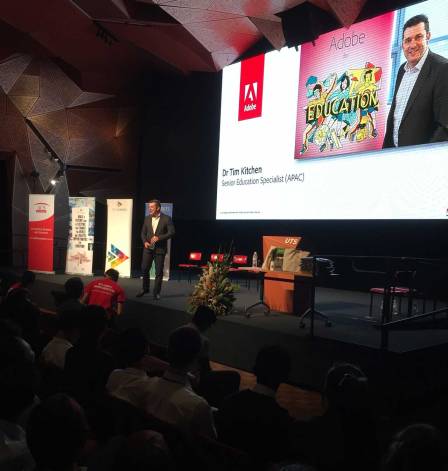
About 800 student from a wide range of schools in and around Sydney listened to a series of presenters from the IT industry encourage them to consider a future career in IT.

Continue reading

The Bully Project on the NSW Central Coast

still1a

Last week I ran a series of events on the Central Coast of NSW including three Adobe Days with an anti-bullying theme thanks to a new partnership with The Bully Project.

BullyProject

The Bully Project is based around the 2012 US documentary film Bully which is a documentary about the effects of bullying in American. The Bully Project has impacted nearly four million students as part of a campaign to raise awareness over the fact that 1 in 4 students are bullied.


Katie Barry (Impact Producer – The Bully Project)  joined me for these Adobe Days at Lisarow High, Terrigal High and Tuggerah Lakes Secondary College in Tumbi Umbi . Adobe Days are student workshops that focus on enhancing creativity skills with Adobe software. They are held either at an Adobe Office or on location at a school. This week’s events have had a focus on video production with Adobe Premiere Pro.

still2

 Katie introduced the bullying theme with clips from the movie Bully and encouraged a discussion around what it means to be an Upstander if and when you witness bullying. The students then formed production groups to plan their 2 minute anti-bullying story for the mural.

lisarow-planning1a

Once the stories were planned and reviewed, the students used a range of recording equipment including professional gear that I provided, cameras owned by the school and their own devices to capture all their footage, still images and audio.

terrigal1

Filming a scene at Terrigal High

tuggerahlakes1

Working with the green screen at Tuggerah Lakes

Once all the footage was captured, the students spent the rest of the day learning a range of editing techniques with Adobe Premiere Pro as they put their various stories together.

IMG_4124a

Ross Johnson from Tuggerah Lakes Secondary College helping  his students build their video stories.

Stay tuned to both this post and The Bully Mural to see some of the finished products.

Here is an example of what the Tuggerah Lakes Secondary College student’s produced…

Year 5 at Grimwade

banner

Grimwade House is the name of Melbourne Grammar’s co-educational Junior School and in Year 5, each student is provided with a laptop equipped with Adobe Creative Cloud software.

IMG_4040a

Grimwade’s eLearning Coordinator Matt Smith, runs a program of at the start of each year to introduce the students to the educational value of their devices. Last year, Matt invited Adobe to help run some sessions and this year he ran a series of workshops on Premier Pro and invite me to run some sessions on Adobe Photoshop.

IMG_4042a

Other workshops for the students to rotate though over the two days included Lego Robotics (run by TechKids) and a session on Grimwade’s LMS (Canvas) run by Melbourne Grammar’s Director of eLearning, Sam Denniston.

2015_GH_5JG1812

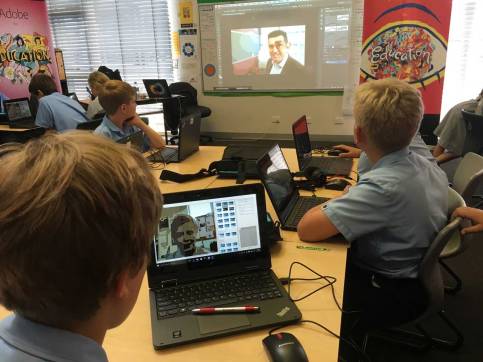
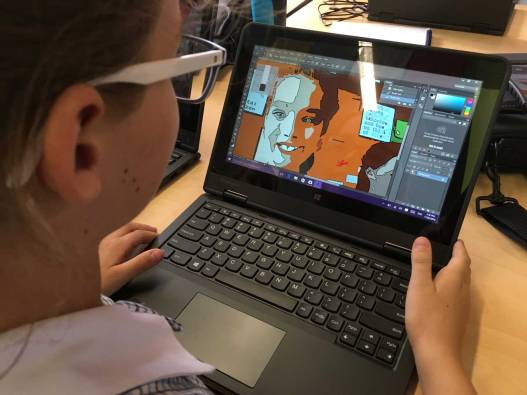
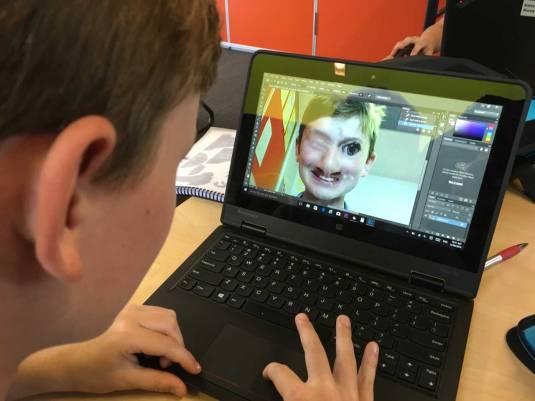
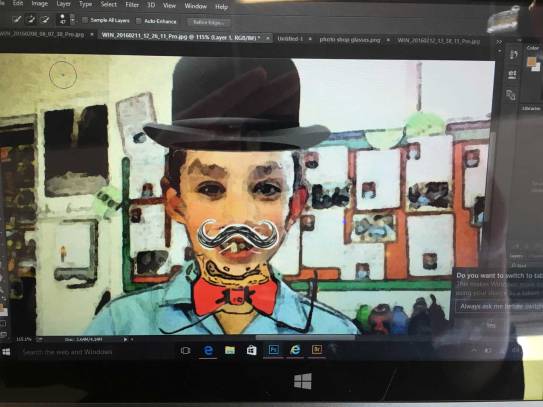
Cyber Safety was the theme for most of the workshops so my Photoshop sessions focused on how to manipulate a selfie and create a profile image that was unrecognizable.

The students first took a selfie via the webcam on their laptops then learned how to use the following Photoshop techniques to manipulate their faces:

  • Zoom in & out with the zoom tool
  • select a part of their face with the lasso & magnetic lasso tool
  • change the size & shape of a part of their face with the Transform tool
  • fix up mistakes with the Spot Healing Brush & Clone Stamp tools
  • add various filter effects

IMG_4045a

At the end of the two days, about 30 of the Year 5s chose the advanced Photoshop session where they learned how to:

  • work with the quick selection tool
  • create a transparent background
  • add in a new picture on their picture as a new layer
  • play with the puppet warp feature


IMG_4064a

Special thank you to Matt Smith for coordinating the two day workshop activities and helping to hopefully kick start a life time of digital creativity and fun.

IMG_4060a

Mt Matt Smith (Grimwade’s eLearning Coordinator)  teaching the basics of Adobe Premiere Pro to a group of Year 5 students.

Check CreateEDU TV for video stories on a range of Adobe related events.


Allowing students to shine

Probably the greatest pleasure I had as a classroom teacher was giving my students a chance to shine and encouraging them to show off their hard work and talent to an authentic audience. It is easy to take for granted the influence we have as educators and the impact that some encouragement can have on a young person’s self esteem and confidence.

I was reminded of this reality after watching this YouTube clip from Kingswood High in Sydney’s west.

What an inspirational voice and what a great way to use Adobe Premiere Pro and other technologies in such a simple way to capture this talented Year 11 student and share her gift to an authentic audience.

Kingswood Studio is the brain child of English teacher (and Adobe Education Leader) Tim Creighton. A passionate and caring teacher, Tim is a great example of the thousands of teachers I get to work with each year who take risks and work very hard to bring out the best in their students.

Here is a short video on CreateEDU TV about about an Adobe Day we did together at Kingswood High that includes an interview with Tim.

I encourage all educators who read/see this post to reflect on the power and influence they have over the young people in their care and to provide them with creative opportunities to shine.

______

Take advantage of the many great professional learning opportunities provided by Adobe Education. Click here for what is coming up.

Victorian Government Schools & Adobe CC

cc-img

CC in Victorian Government Schools

Adobe have been working with the Victorian Department of Education and Training over the last 12 months to prepare an excellent offer for all Victorian Government schools to take advantage of the latest Adobe Creative Cloud software applications at a highly discounted rate.

Schools can Opt in for a 3 year period and pay yearly though the Adobe Platinum partner, Insight. The offer is now open and closes on the 23rd February 2016.  This is a yearly opt-in program that will be opened in late January every year.

Key benefits of this new Adobe CCE 2016 Opt in program;

· Substantial cost savings for Adobe Licensing
· Options with Design and Web and CCE completed desktop application suites
· BYOD Student – Design and Web software included, Schools that opt-in to this agreement will also be able to deploy the Design & Web package to student devices as part of the schools Adobe license fee.
· BYOD Student upgrade options for CCE Complete desktop apps – at a heavily discounted rate
· PD aligned to the Australian Curriculum
· Adobe Education Exchange – For teachers – shared teacher learning resources from Australia teachers (free service)
·  Fixed priced licensing for 3 years (secures the low price point for this period)

EduTip-Banner

Part of the Professional learning for Victorian teachers includes a new series of 15 min live webinars at 4pm via Adobe Connect called Adobe EduTips. Click here for more information.

A series of face to face, small group sessions has also been planned to be run at the Adobe office in Melbourne. Click here for more info.

Click here to find out more about other soon to come professional learning opportunities with Adobe Education

Adobe in Education – 2016 update

The Adobe in Education active use program for 2016 is shaping up to be a very exciting, packed full of online and face to face professional learning events for educators and active use events for students.

Have a look at the following two video updates that help promote the Adobe Education Exchange as well as a the new Adobe in Education Coming Events in APAC site …

Adobe Edu Australasian Update January 2016 Part 1 from CreateEDU TV on Vimeo.

2016 Update 1 Part 2 from CreateEDU TV on Vimeo.

EdEx  – 250,000 members

The Adobe Education Exchange recently welcomed its 250,000th member and this would not have been possible without the word of mouth support by educators who are sharing the value of this resource.

Here is a Slate that reviews EdEx in 2015: https://slate.adobe.com/cp/hzJl0/

 edex1

New coming events site

A new Adobe Slate that outlines coming online and face to face events focused in Australia & the APAC region is now available via:

http://bit.ly/adobeEDU-events

https://slate.adobe.com/cp/jBL78/

comingevents

Please share this out through your networks to keep them informed on Adobe in Education events on EdEx and in this part of the world.

Some key events worth noting include:

Adobe Generation Professional: Web Design – Collaborative Course (Jan 25 to Mar 12) enrollments close on Feb 10

https://edex.adobe.com/pd/course/web-2016

Live Event February 9 – Automating Tasks in Photoshop – 7.00 PM (Sydney/Melb), 6.00 PM (Brisbane), 4.00 PM (Perth/Singapore), 9.00 PM (Auckland)

https://pshop-automationfeb16.attendease.com

Adobe Post

Have you had a chance to play with Adobe Post (the latest free Adobe iOS app in the family of Slate and Voice)? It is a great way to work with images and text to build nice social posts as well as cool graphic headers or banners.

https://post.adobe.com/

 AdobePost1


Adobe Campus Leader

For those of you who are regular users of the Adobe Education Exchange and considering becoming more involved with the Adobe Education Community, why not apply to become an Adobe Campus Leader.

https://edex.adobe.com/campus-leader


Thanks for a great year

TimAdobe15JuneLowRes

The Adobe for Education mission statement is to inspire and empower the next generation to be life long creators. It has been a pleasure to keep this mission on track throughout 2015 and a privilege to work with some of the world’s most creative and passionate educators who make up the Adobe Education Community (AEC).
BIL_0528a

Globally, the AEC is currently made up of  259 Adobe Education Leaders (AELs), 130 Adobe Campus Leaders (ACL) and 860 Adobe Education Trainers (AETs). Collectively, the AEC has recorded an estimated impact on over 5.1 million students and teachers throughout 2015 in their quest to inspire and empower the next generation to be life long creators.

BIL_1361

In the APAC region, there are currently 72 AELs, 44 ACLs and 112 AETs. It has been very pleasing to see a number of Australian AELs leading the way globally with events and impacts throughout 2015.

Active use events in 2015

During 2015, Adobe Education (APAC) in conjunction with the AEC have managed (or been involved with) about 200 events throughout the region and had direct contact with over 5000 students and 6000 teachers. This online journal has documented many of these events throughout the year.

bdi2

Big Day In – Sydney (500 students)

2015 Adobe Days

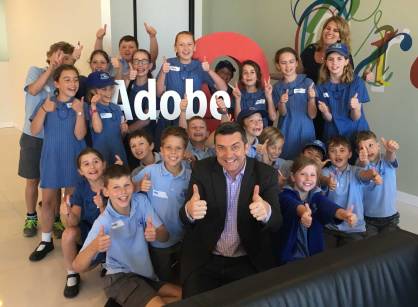
During 2015, we ran 25 Adobe Days throughout Australia. Adobe Days are student workshops with expert Adobe educators or trainers. They are held either as an excursion to the Adobe office in Darling Harbour or an incursion where the Adobe educator/trainer visits the school.
IMG_3105a

Video stories of a number of the 2015 Adobe Days can be found on our Vimeo Channel – CreateEdu TV

Adobe Education Exchange

Globally, there are now nearly 250,000 members of the Adobe Education Exchange with just under 9,000 of them from Australia. So far over 3,600 Australian educators have joined this year compared to 2,500 who joined in 2014.

The APAC EdEx membership is now over 14,000, a great result considering that at the same time last year we had just over 8,000 APAC members. By the end of 2016, let’s aim for 20,000 APAC members of EdEx. For this to happen we need your support to help share the value of this resource and attract active members.

email-signature-yellow

Have a great Christmas break everyone.